

Browse species and breeds
United Pet Club keeps a guide for every species and breed it knows — dozens of species, from dogs and cats to horses, rabbits, chickens, reptiles and fish, and hundreds of breeds. You can read all of it without signing in, in your own language.
Start from the Animals page
Section titled “Start from the Animals page”Open Breeds from the main menu (its By Species panel also jumps straight to a species). The page is headed Animals — Explore species and find your perfect companion and lists every species, grouped the way people keep them: Companion, Equine, Avian, Livestock, Small mammal, Reptile, Aquatic and so on.
Each species card offers two links:
- Explore {species} — the species guide (history, care, health, choosing one).
- Browse breeds — the list of that species’ breeds.
Type in Search species… to filter the page as you type. If nothing matches you will see No matches for ”…” — try a shorter word.
Find a breed
Section titled “Find a breed”Browse breeds opens the breed directory for that species — for dogs, Dog Breeds — Complete Guide. Three ways to find what you want:
- Browse by Alphabet — pick a letter to see only breeds starting with it; All goes back to everything. The count line updates (213 breeds found).
- Filter — narrow by Group, Category, Size, Energy or Trait. The button shows how many filters are active; Clear all resets them.
- Search breeds… — type part of a name.
Switch between Gallery View (photo cards) and List View (compact rows). Selecting a breed opens its page.
Read a species guide
Section titled “Read a species guide”Explore {species} (or Read the {species} guide from the breed directory) opens the long-form guide. It starts with a Scientific classification card — the animal’s place in the tree of life, from domain down to species — and then the guide itself, with a tab bar that jumps to each part: overview, breeds and types, history, behaviour, care, choosing one, frequently asked questions, and how to register one with United Pet Club.
View {species} breeds takes you to the breed directory.
Under the classification, the guide shows the colours and patterns of the animal’s coat (or plumage, or skin), each with a small drawing. See all {species} colors, patterns and markings opens the full list: every part of the body that has a colour (coat, eyes, nose, comb, legs and more), the markings, and how colours can change with age or the seasons. Pick a colour or pattern there to see every breed that comes in it, grouped by whether the clubs’ breed standards accept it, count it as a fault, or disqualify it.
Read a breed page
Section titled “Read a breed page”A breed page is headed with the breed’s name and photo, any other names it goes by (“Also known as Lab and Labrador”), then its key facts:
- Size, Lifespan and Origin.
- Temperament — the breed’s defining trait — and its Key Traits.
- Standard colors — the colours at least one club’s breed standard describes.
- Popularity — the breed’s rank in the latest registry figures; point at it to see which registry and year.
- Characteristics — Energy Level, Trainability, Good With Kids, Good With Pets and Grooming Needs, each rated out of 5.
- Registry Recognition — how the breed is classified by the major registries (FCI, AKC, The Kennel Club and others), with the breed’s Primary group marked.
- {breed} colors and patterns — the breed standards compared. One table per part of the body (coat, eyes, nose…) lists every colour and pattern, with a column for each club and its ruling: Standard, Alternate (registrable but not in the standard), Fault, DQ (disqualifying) or Not accepted. Point at a ruling to read the club’s own wording. Breeds with varieties (a wirehaired Dachshund, say) get a table per variety. Under the tables: what each ruling means, how the breed’s colours can change over its life (a black coat greying, puppy eyes darkening), and links to each club’s published standard.
Health conditions to know about
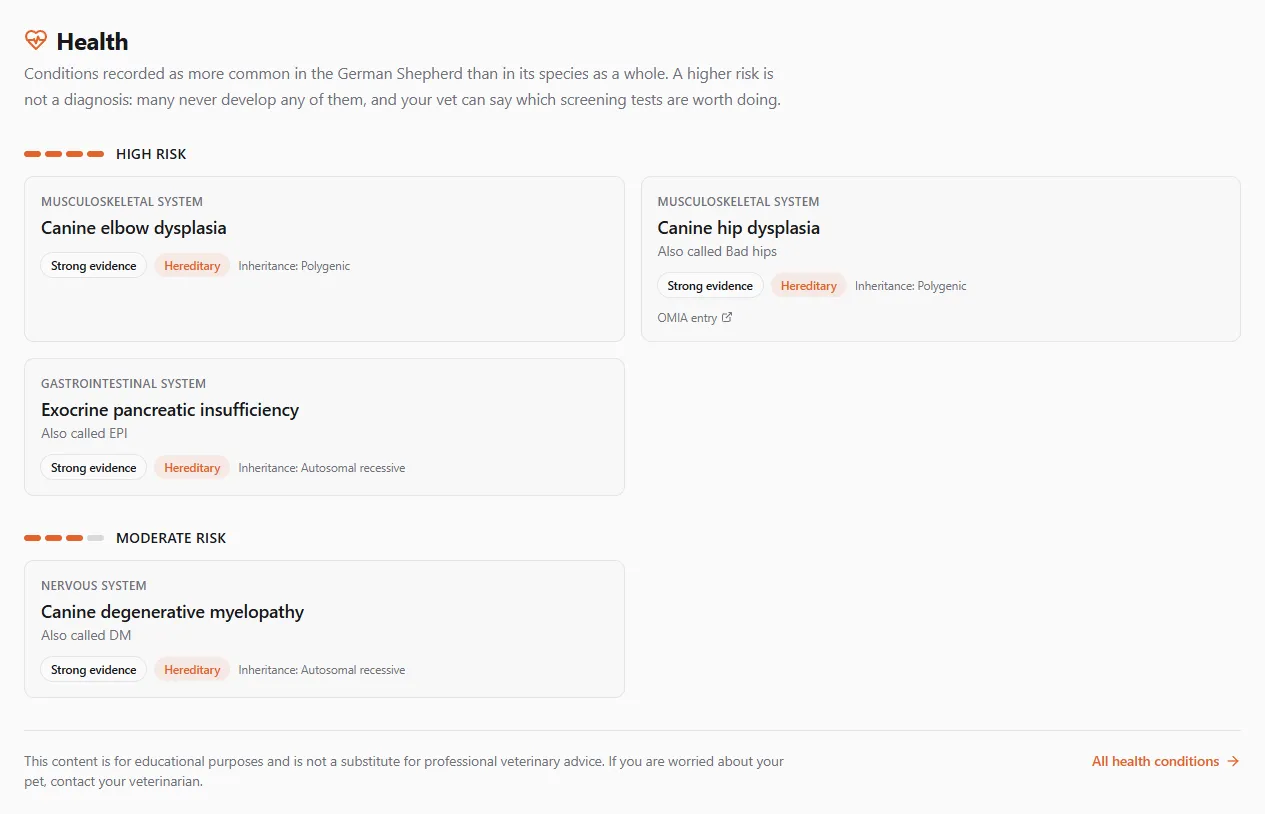
Section titled “Health conditions to know about”When the breed is recorded as more prone than its species as a whole to some health conditions, a Health section follows the colours. The conditions are grouped by how much more likely they are, highest first: High risk, Moderate risk, Slight risk, Low risk. The short bar beside each group shows the same level at a glance (four segments for high risk, one for low).
Each card shows:
- the part of the body it affects (Musculoskeletal system, Eyes & vision…), which opens that body system’s health pages;
- the condition’s name, which opens its full article, and the everyday name if it has one (Also called Bad hips);
- how strong the evidence is (Strong evidence, Moderate evidence…), whether it is Hereditary, and how it is inherited and which gene is involved, where that is known (Inheritance: Autosomal recessive, Gene: PRCD);
- OMIA entry, where there is one: the condition’s record in Online Mendelian Inheritance in Animals, the reference database of inherited animal disorders. It opens in a new tab.
A higher risk is not a diagnosis. Many animals of the breed never develop any of these conditions, and your vet can tell you which screening tests are worth doing. All health conditions opens the A–Z list.
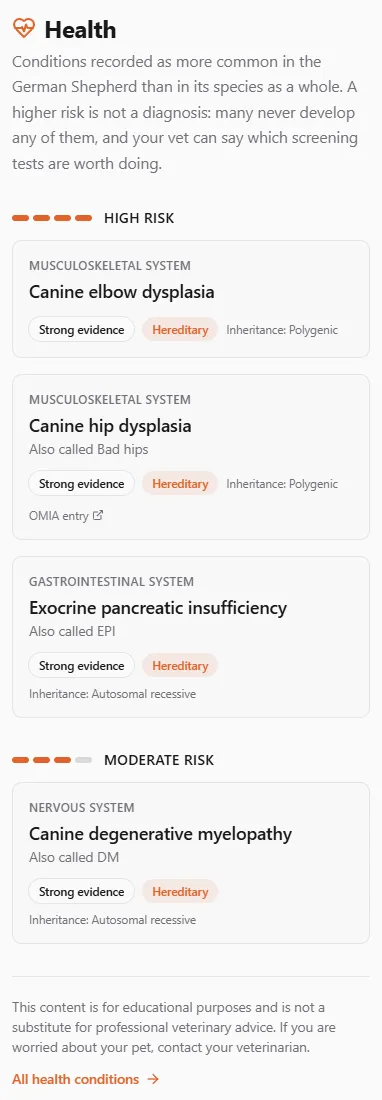
On a phone the cards stack in one column:
Breeds with no recorded predisposition have no Health section. That does not mean the breed has no health problems, only that none is recorded yet.
The link works the other way too. A condition’s article (open one from Health in the main menu) lists the Breeds at higher risk, each with its risk level, and each breed name opens that breed’s Health section.

Sections, animals and shortcuts
Section titled “Sections, animals and shortcuts”Below the facts, a sticky row of tabs leads to the breed’s sections — About the {breed}, History, Appearance, Care, Nutrition, Health, Training, FAQ and Registration. Each section opens in place; the tab bar stays at the top as you scroll.
Then come the animals: Meet some of our {breed} shows profiles members have added, and View all … {breed} profiles opens the full list. See Find animals by breed for browsing and searching those profiles.
Two shortcuts sit under the facts: Find a {breed} Breeder opens the breeder directory, and Browse All Breeds returns you to the species.
In your language
Section titled “In your language”Every species and breed guide is written for each language United Pet Club offers, not machine-translated from English — Canadian French reads differently from French, and Mexican Spanish from Spanish. Breed names stay as they are in every language, because a breed name is a proper noun: a Shiba Inu is a Shiba Inu in French too. Where a language writes the name in its own script, or has a genuinely different local name, you will see that form.
If a section of a guide has not been translated into your language yet, that section is shown in English until it is — see Some names appear in English.
If something went wrong
Section titled “If something went wrong”- “Species not found” / “Breed not found” — the address is wrong or the entry has been retired. Go back to Breeds in the menu and find it from there.
- No breeds available in this filter — your filters exclude everything. Clear all and try again.
- The page is in English although you chose another language — for page wording (menus, buttons, headings) that is a bug; please report it with the address. For a single breed section, it is a translation still in progress.