

Pregnancy exams
Once she is mated, the next question is whether she took. A pregnancy exam answers it: an ultrasound around day 25 to 30, an X-ray count in the last two weeks, a relaxin blood test, a palpation, or what you saw yourself. On United Pet Club each exam is a medical record in the female’s history, and it is linked to her expected litter, so the litter shows where the pregnancy stands and how many young to expect.
Pregnancy exams are free on every plan, like every litter record.
Recording an exam
Section titled “Recording an exam”You can record an exam from three places:
- the litter’s page: Record pregnancy exam next to Add mating, or on the Pregnancy card. The exam is linked to that litter.
- the female’s page under Pets → Litters → Bred Animals: the Pregnancy exams card.
- the pet’s page, Records tab: the Pregnancy exams card, under her medical records. This is where her vet records it too.
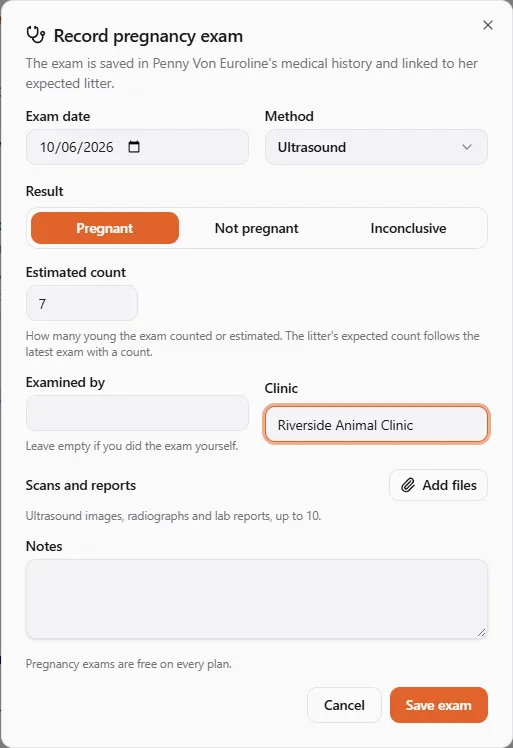
Fill in:
- Exam date: the day she was examined. It cannot be in the future.
- Method: Ultrasound, X-ray, Palpation, Relaxin test (the blood or urine test for the pregnancy hormone) or Observation.
- Result: Pregnant, Not pregnant or Inconclusive.
- Estimated count: how many young the exam counted or estimated, from 1 to 99. Only a Pregnant result has a count.
- Examined by and Clinic: leave Examined by empty if you did the exam yourself.
- Scans and reports: up to 10 files from your library or a fresh upload. Mark each one as an Ultrasound image, a Radiograph, a Lab report or a Photo and give it a caption if you like.
- Notes.
From the female’s page or her pet page you can also pick which expected litter the exam is for. Leave it on Her current expected litter and the exam joins the litter she is expecting now. If she has no expected litter, the exam is kept in her medical history only.
Save exam files it in her medical history straight away. The litter catches up a moment later.
What the litter shows
Section titled “What the litter shows”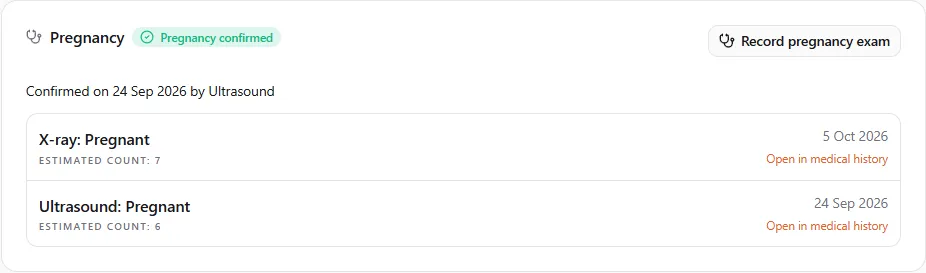
The litter’s Pregnancy card says where the pregnancy stands:
- Not confirmed yet: no exam yet, or only inconclusive ones.
- Pregnancy confirmed: the latest exam with a clear answer found her pregnant. The card also says when the pregnancy was first confirmed and how.
- Possible no litter: the latest exam with a clear answer did not find a pregnancy. See below.
The expected count of the litter follows the latest exam that found her pregnant and gave a count. An X-ray count a week before the due date replaces the number from an early scan. If you typed an expected count yourself, an exam without a count leaves your number alone.
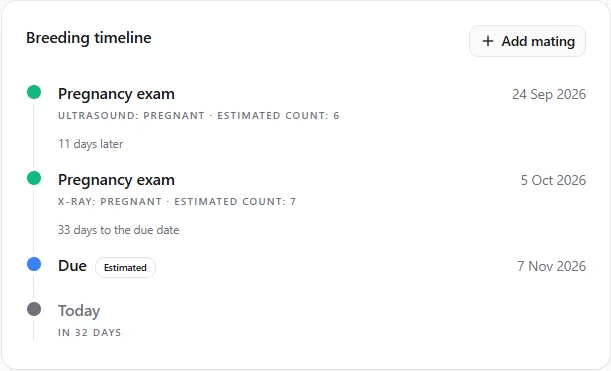
The exams also appear on the Breeding timeline, between the matings and the due date:
When an exam does not find a pregnancy
Section titled “When an exam does not find a pregnancy”An exam can miss an early or small litter, so a Not pregnant result never closes the litter for you. The litter stays expected and its card shows Possible no litter:
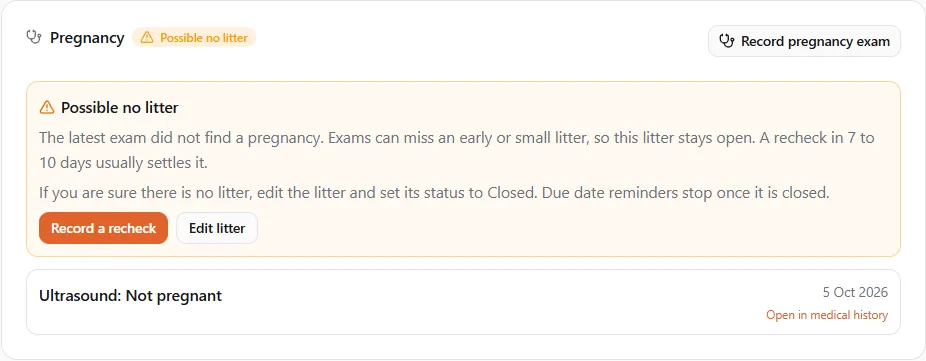
- Record a recheck when you have one. If the recheck finds her pregnant, the litter is confirmed again.
- If you are sure there is no litter, choose Edit litter and set its status to Closed. The due date reminder stops once the litter is closed.
Until then the litter keeps its due date and its reminder a week before the litter is due.
In her medical history
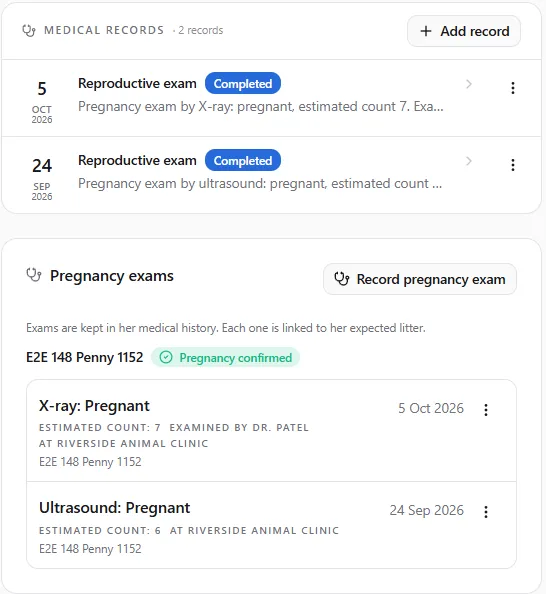
Section titled “In her medical history”Every exam is a Reproductive exam in the female’s medical history, with the method, the result, the count, the examiner and the clinic in its summary and the scans attached. Her history follows her, so a new owner and her vets see it too.
Who can record an exam
Section titled “Who can record an exam”- the female’s owner and any co-owner;
- anyone she has shared her care with at Full access, such as her vet. Their exam counts straight away, and it is linked to her expected litter even though they do not own it.
Helpers with Limited access (a groomer or a trainer) cannot see or record exams.
Only the person who recorded an exam can edit or remove it. To take one back, open the ⋮ menu on the exam and choose Remove exam: it is cancelled in her medical history, struck but kept on file, and no longer counts for the litter. An exam her vet recorded is the vet’s to change.