

Look up a pet food
The Pet food pages list commercial pet foods with what their labels say: the guaranteed analysis, the calorie content, the ingredients, the feeding guide, the packages and their barcodes, and every recall that has named the food. You can read all of it without signing in.
Pet food in the footer of every page, or go straight to /pet-food (for example
unitedpetclub.com/en-US/pet-food). Recall notices are at /pet-food/recalls.
Find a food
Section titled “Find a food”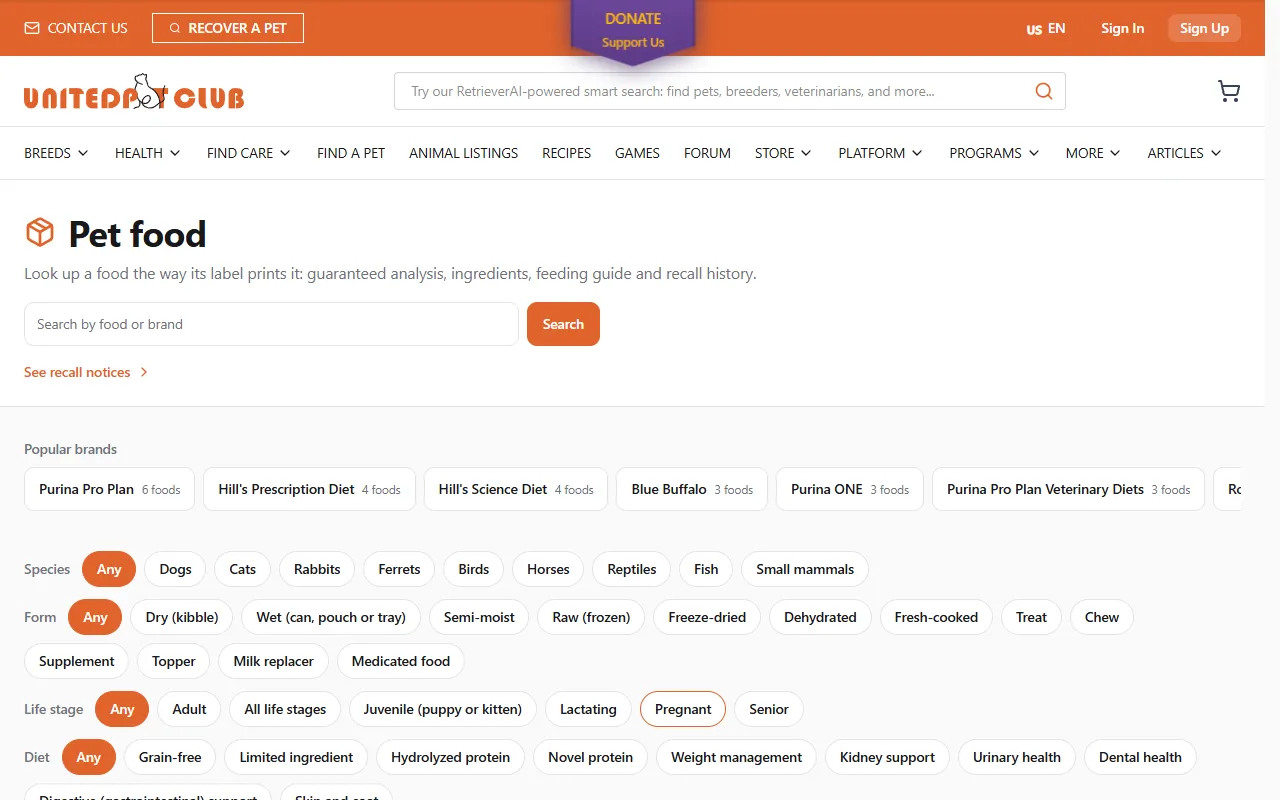
- Type part of the food’s name or the brand in Search by food or brand and choose Search. Every word you type must match. You can also type the barcode digits printed on the bag or can.
- Narrow the list with the filters. Each row starts on Any:
- Species: Dogs, Cats, Rabbits, Ferrets, Birds, Horses, Reptiles, Fish, Small mammals.
- Form: Dry (kibble), Wet (can, pouch or tray), Semi-moist, Raw (frozen), Freeze-dried, Dehydrated, Fresh-cooked, Treat, Chew, Supplement, Topper, Milk replacer, Medicated food.
- Life stage: Adult, All life stages, Juvenile (puppy or kitten), Lactating, Pregnant, Senior.
- Diet: claims printed on the food, such as Grain-free, Limited ingredient, Hydrolyzed protein, Novel protein, Weight management, Kidney support, Urinary health, Dental health.
- Popular brands lists the brands with the most foods, with how many each has. Pick one to open its brand page.
When nothing matches, the page says No foods match: try a different word or choose Clear search and filters.
Under the search, See recall notices opens the recall list. When a recall is open, the link instead says how many (for example 2 open recalls).
Further down, Pets like mine eat shows the foods pets like yours eat most often: see Pets like mine eat.
A brand’s page
Section titled “A brand’s page”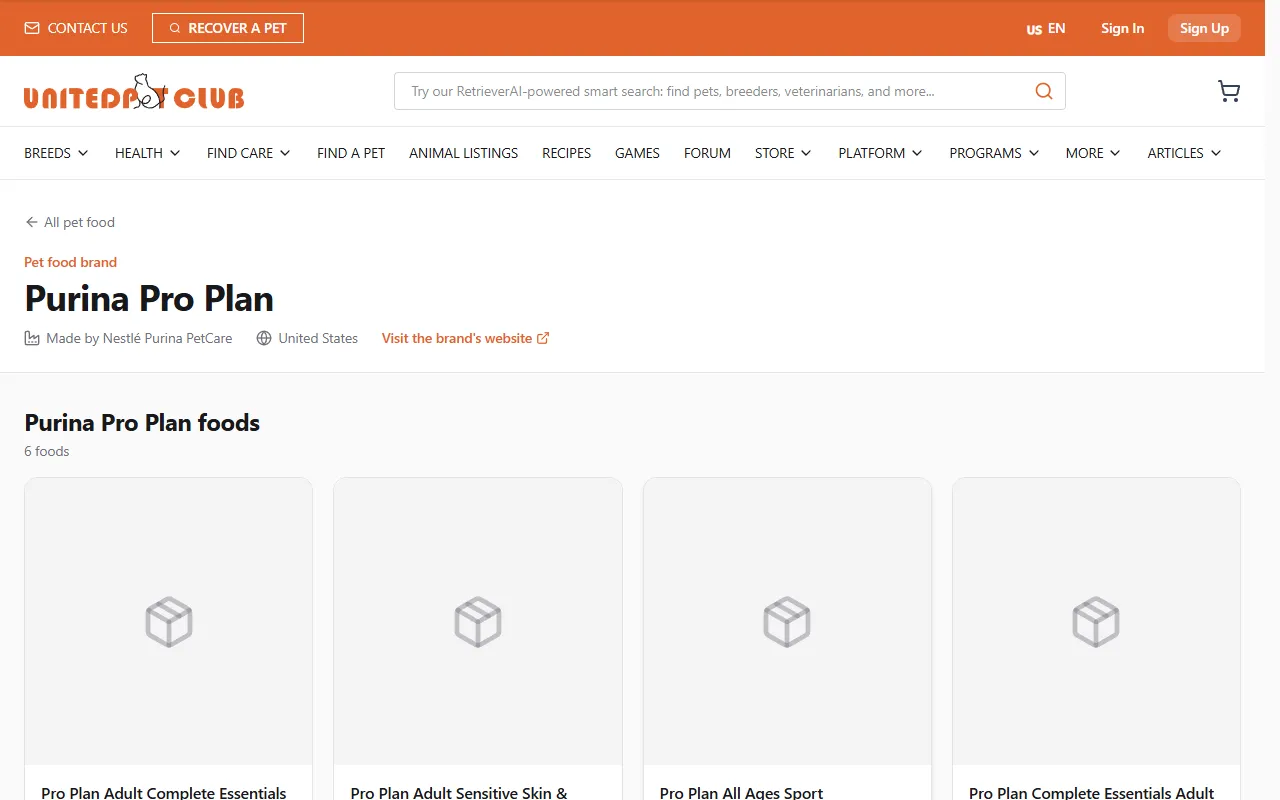
A brand’s page (/pet-food/{brand}) shows who makes it, its country and website, every food of the brand, and the
brand’s Open recalls when there are any. When the brand’s own business has claimed it on United Pet Club, the page
also links to the Official brand profile on United Pet Club.
A food’s page
Section titled “A food’s page”The top of the page names the food and its brand, then its Form, who it is For, its Life stages, its diet claims, and the Nutritional adequacy statement exactly as the package prints it. A food that is no longer made says No longer made.
Prescription diets
Section titled “Prescription diets”
A veterinary diet carries Needs your vet’s authorization. Your vet decides whether it suits your pet and authorizes the purchase. You can still read everything on the page.
Open recall warning
Section titled “Open recall warning”When a recall that covers the food is open, a red box at the top says This food is part of an open recall, with a link to each notice. Check the lot numbers and best-by dates in the notice against your package before you feed it. If your package is recalled, stop feeding it and follow the notice.
What the label says
Section titled “What the label says”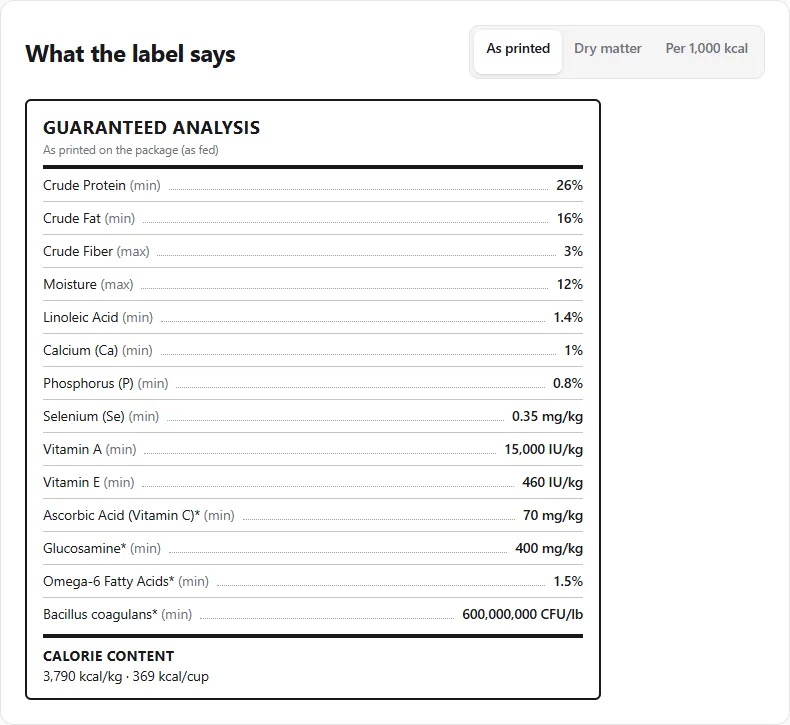
The Guaranteed analysis box starts on As printed: the values exactly as the package prints them (“as fed”), each with its qualifier, (min), (max) or (typical). Under it, Calorie content gives the calories per kilogram, per cup or per can or piece, as the label states them.
Use the switch above the box to compare foods fairly:
| Choice | What it shows | Why it helps |
|---|---|---|
| As printed | The label’s own numbers. | It is what the package says. |
| Dry matter | The same nutrients with the water taken out. | A wet food (about 78 % water) and a kibble (about 10 %) can only be compared this way. |
| Per 1,000 kcal | How much of each nutrient comes with 1,000 calories. | It shows what your pet gets for the calories it eats, which matters for a pet on a calorie-limited diet. |
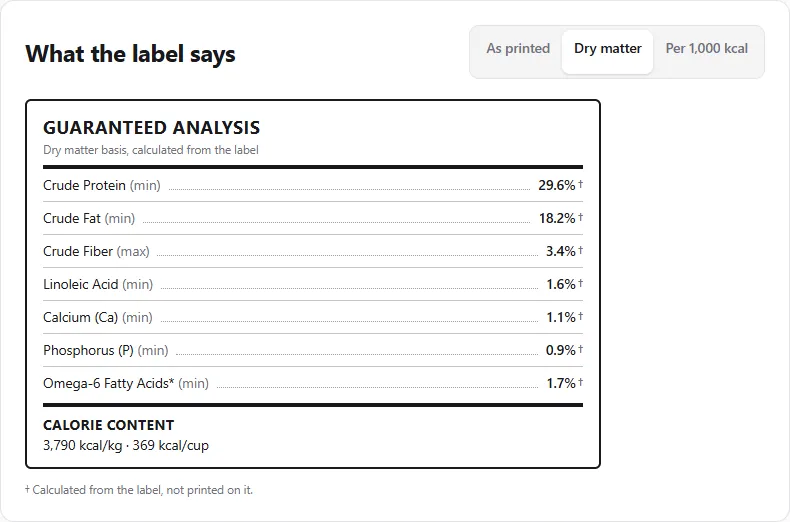
Every value marked † is calculated from the label, not printed on it. A view the label does not have enough for says This view needs values the label doesn’t print, and a choice is greyed out when it cannot be worked out at all. When a package prints no calorie statement, the calories are estimated from the analysis and marked calculated.
Ingredients
Section titled “Ingredients”The ingredients are listed in label order, heaviest first, numbered as the package lists them. Groups the label prints in parentheses (vitamins, minerals) are shown indented under their name.
When we know an ingredient:
- Allergen chips sit next to it (for example Chicken, Wheat), and a Contains: line above the list sums up every allergen in the food.
- Safety notes say how safe that ingredient is for each species: fine in moderation, caution, toxic or can be fatal, sometimes with a short explanation. Toxic and can be fatal are shown in red with a warning icon. Safe ingredients get no note.
Not every ingredient has these yet: they only appear where the ingredient as printed matches one in our ingredient list exactly.
Feeding guide
Section titled “Feeding guide”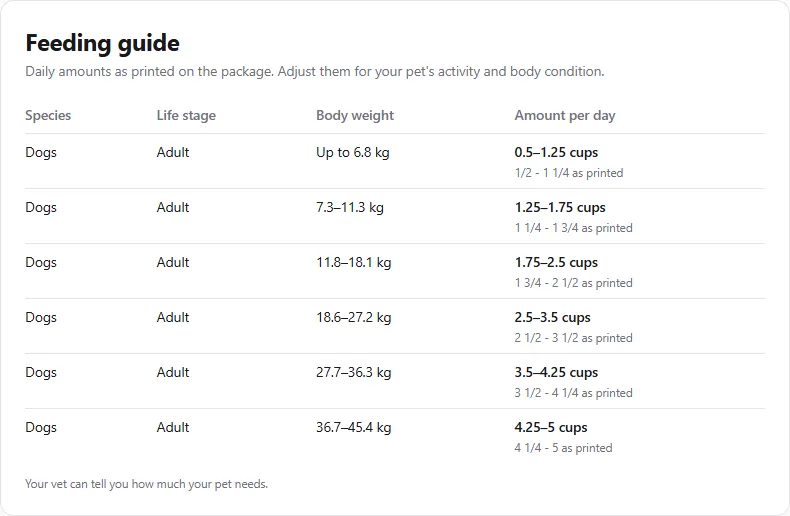
The Feeding guide gives the daily amounts printed on the package, by species, life stage and body weight (in kilograms). Under each amount you see it as the label printed it (for example “1 1/4 - 1 3/4”). Adjust it for your pet’s activity and body condition; your vet can tell you how much your pet needs.
To record what your own pet eats and see its calories against its needs, use the pet’s Diet page in your Dashboard.
Packages
Section titled “Packages”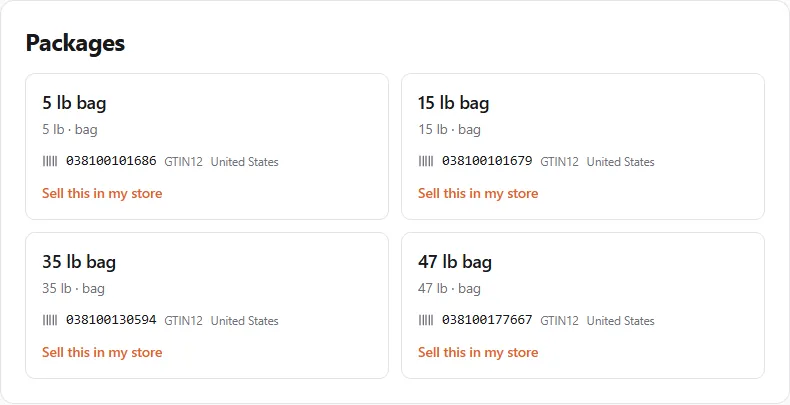
Each size the food comes in, with its barcodes and the country they are printed for. A size that is no longer made says No longer sold. Sell this in my store is for sellers: see Selling a pet food.
Recipe changes
Section titled “Recipe changes”Manufacturers change recipes. When a food’s label has changed, Recipe changes lists each change, newest first: Recipe changed on {date}, with what changed, down to First recipe on file from {date}. The label, ingredients and analysis shown above are always the current recipe.
Recalls
Section titled “Recalls”Every recall that has named this food, open ones first. Each opens the full notice.
Sold on United Pet Club
Section titled “Sold on United Pet Club”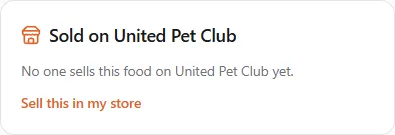
Who sells this food in the United Pet Club store. Each card names the seller and the package, shows the price as the seller set it (in the seller’s currency), says Out of stock when they have none, and View in the store opens the product in the store, where you buy it. When a price can’t be shown here, the card says See the price in the store. Listings from outside retailers appear under the sellers’ cards, each naming its retailer.
When nobody sells it yet, the box says No one sells this food on United Pet Club yet.
Pets on this food
Section titled “Pets on this food”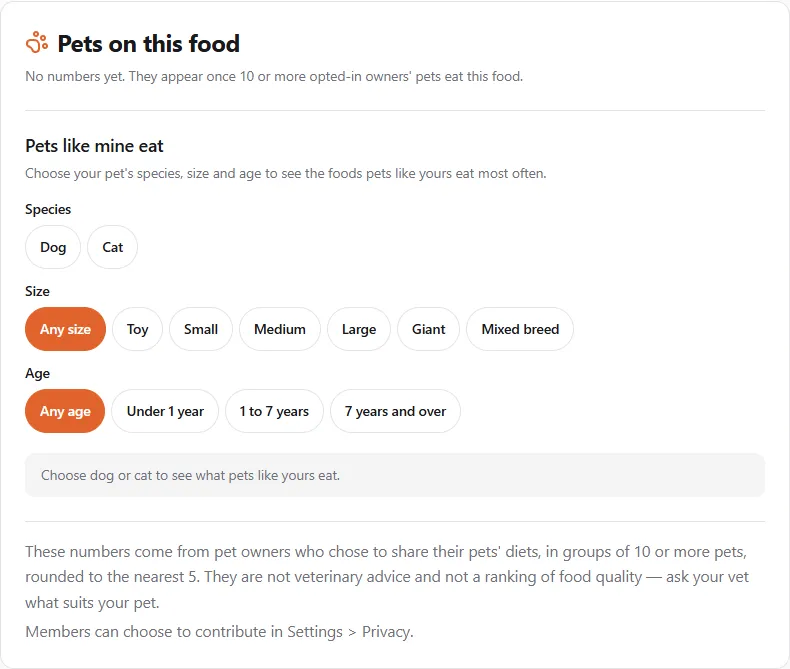
Pets on this food shows what owners who share their pets’ diets report about the food. The numbers come only from members who turned on Pet food research, and only for groups of 10 or more pets. Until a food has that many, the box says No numbers yet. They appear once 10 or more opted-in owners’ pets eat this food.
Once it has numbers, you see for each species (dogs, cats):
- About {N} dogs (or cats): how many pets eat it as their main food, rounded to the nearest 5.
- Median time on this food: half of the pets stayed on it longer, half shorter.
- Outcomes: a bar of how owners rated the food for their pets: Improved (blue), No change (grey), Worsened (orange), and Not assessed (pale) for pets whose owner recorded no outcome.
- Breakdowns: the same numbers By size, By age (Under 1 year, 1 to 7 years, 7 years and over), By sex (Male; Male, neutered; Female; Female, spayed), By time on this food (Under 30 days, 30 to 90 days, 3 months to 1 year, Over 1 year) and By health sign (signs owners linked to their outcomes).
- After a recipe change: when the food’s label changed, the outcomes Year before the new label next to the Year since, labelled “Since the version {N} label of {date}”.
Withheld numbers. A part of a bar drawn hatched and labelled withheld (“Withheld (too few pets to show)”) covers too few pets to show on its own, or would let someone work one out by subtracting the others. It is never zero: it means “some pets, not shown”. A breakdown row that is missing is withheld for the same reason.
How to read them. These numbers come from pet owners who chose to share, so they describe those pets, not every pet on the food. Owners record outcomes when they choose to. A food with more pets is not a better food. The box says it too: “They are not veterinary advice and not a ranking of food quality — ask your vet what suits your pet.”
Members can add their own pets: see Pet food research.
Pets like mine eat
Section titled “Pets like mine eat”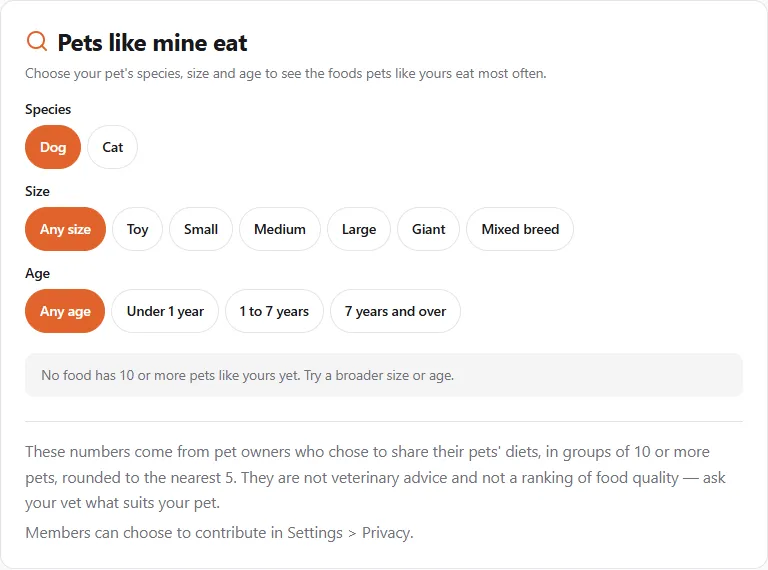
Pets like mine eat is on the Pet food page as its own card, and inside Pets on this food on every food’s page.
- Choose Dog or Cat under Species. Until you do, it says Choose dog or cat to see what pets like yours eat.
- Narrow it with Size (Any size, Toy, Small, Medium, Large, Giant, Mixed breed) and Age (Any age, Under 1 year, 1 to 7 years, 7 years and over).
- The list shows the foods pets like yours eat most often, each with about how many pets and their outcome bar. Choose a food’s name to open its page.
When no food has 10 or more pets for your choice, it says No food has 10 or more pets like yours yet. Try a broader size or age. Your choices are not saved to your account, and you don’t need to sign in.
Recall notices
Section titled “Recall notices”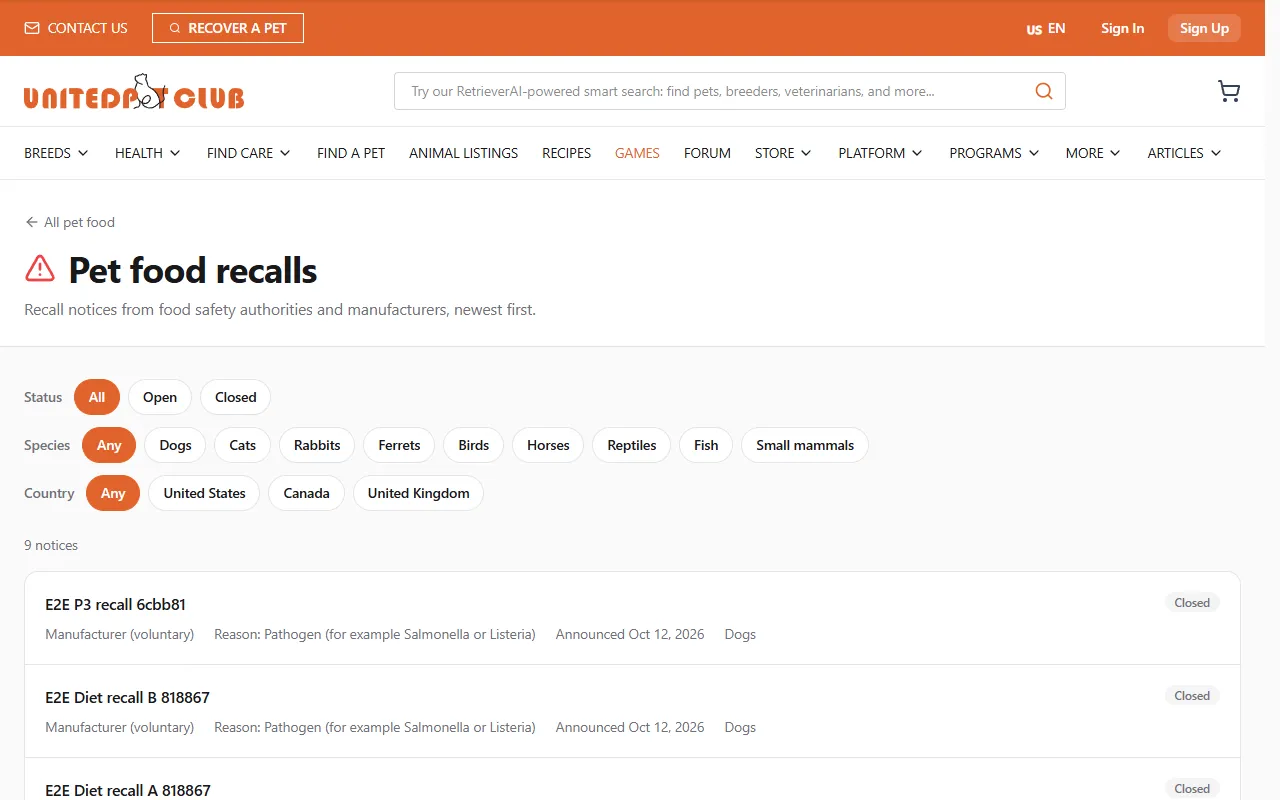
Pet food recalls (/pet-food/recalls) lists recall notices from food safety authorities (the U.S. FDA, the
Canadian Food Inspection Agency, the UK Food Standards Agency) and from manufacturers, newest first. Filter by
Status (All, Open, Closed), Species and Country. Each row shows who issued the notice, the reason, when it
was announced, the species and whether it is Open, Updated or Closed.
Open a notice to see:
-
Who issued it, its Classification when there is one, the Reason, Species, Countries, and when it was Announced, Published and Closed. A closed recall says This recall was closed on {date}.
-
A Summary in plain words.
-
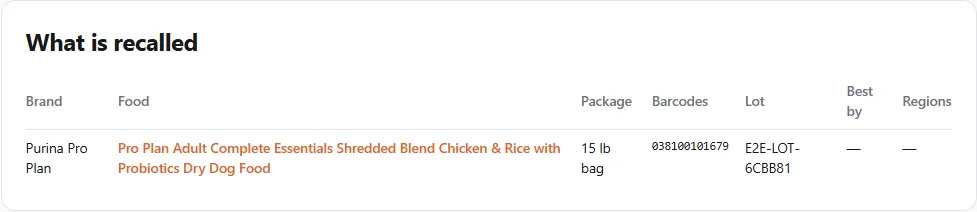
What is recalled: one row per item, with the Brand, Food, Package, Barcodes, Lot, Best by dates and Regions. All foods or All packages means the whole brand or every size is recalled.
-
Read the {authority} notice: the original publication. It is the authoritative version; ours is a summary.
-
Updates: every change to the notice since it was published.
To check a package: compare its barcode, then its lot code and best-by date (printed near the barcode or on the bottom of the bag or can) with the table.
A notice that was just published or changed can take a few minutes to appear on these pages.
Currently fed, on a pet’s public page
Section titled “Currently fed, on a pet’s public page”A pet’s public page can show a Currently fed box: each food the pet eats, its role (Main food, Treats, Supplement, Topper, Medicated food), and Since {date}. It appears only when the owner turned on Show the food on the public pet page in the pet’s Diet settings, and it never shows amounts, notes, schedules, prescriptions or recalls. See Showing the food on the public pet page.
Related
Section titled “Related”- Your pet’s diet: record what your pet eats, scan a barcode, recall alerts.
- Pet food research: let your pets count in the totals on these pages.
- Selling a pet food: list a food from this catalog in your store.
- Finding your way around the store.