

Signing a contract
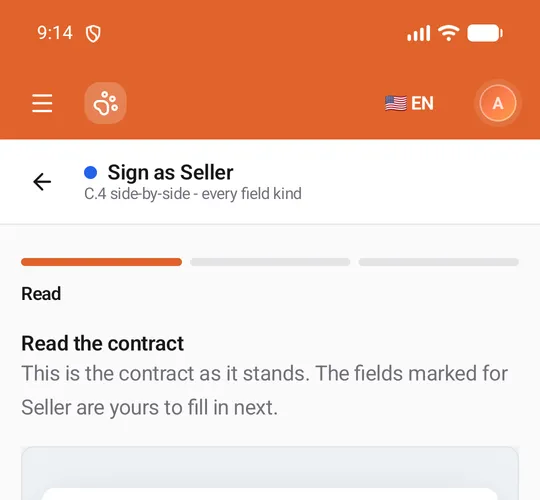
When a member sends you a contract, it waits in Awaiting My Signature. Signing in the app takes three short steps: read the contract, fill in your fields, then check it with your entries on it and sign.
- Paperwork → Contracts → Awaiting My Signature → Review and sign, then Sign on your part; or
- any contract’s page, Sign on the part marked You (see The contract page).
The signing pages are titled Sign as your role, with a dot in the role’s colour and the contract’s title under it. The bar along the bottom carries Back / Cancel and Continue, and the line above it counts the required fields you still have to fill.
1. Read
Section titled “1. Read”Read the contract shows the whole contract as it stands. The fields marked for your role are yours to fill in next; the other parties’ fields read Awaiting and their role. Scroll to the end, then tap Continue.
Decline to sign sits above the bottom bar on this step (see Declining).
2. Your fields
Section titled “2. Your fields”Fill in your fields lists your role’s fields as ordinary phone controls, each with your role’s colour down its side. Fields marked * are required.
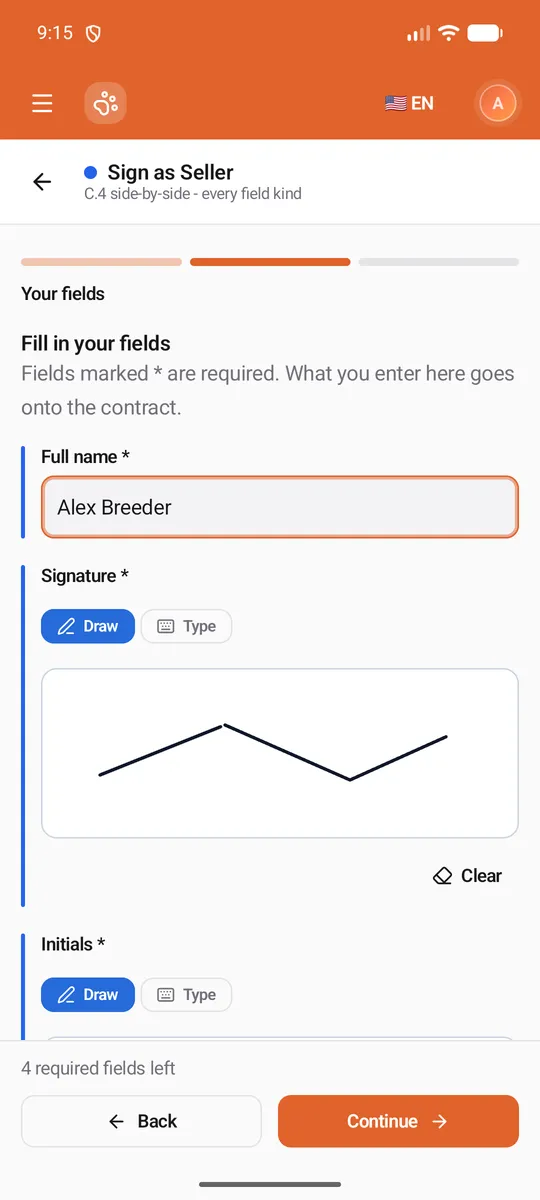
| Field | How you fill it |
|---|---|
| Signature, Initials | Draw with one finger on the pad, or Type your name. Clear starts again. |
| Name, text | Type it (Full legal name for a name field). Longer notes get a bigger box. |
| Date | Tap to pick a date from the calendar. |
| Checkbox | Tick it. |
| Dropdown | Tap to choose from the list. |
| Choice (radio) | Tap one option. |
| Provided by sender | Filled in by the contract’s owner. You can read it, not change it. |
| Sign date | Set automatically on signing. Nothing to do. |
Tap Continue when you are done. If a required field is still empty, the app marks it Required and scrolls to the first one. When your role has no fields of its own, this step is skipped.
3. Sign
Section titled “3. Sign”Check and sign shows the contract again, now with your entries on it. Read it through, tick the consent — By signing, I agree that my electronic signature is the legal equivalent of my handwritten signature. — and tap Sign & submit.
The app says Signed. Your signature is recorded on the contract. and opens the contract’s page, which now shows your part Signed with the time. When you were the last to sign, the contract becomes Completed.
If the contract changes while you sign
Section titled “If the contract changes while you sign”The owner can edit a contract until the first party signs. If that happens while you have it open:
- When the document’s wording changed, the app shows the new version on the Read step with The owner changed this contract after you opened it. Read this new version, then sign again. What you already typed is kept; agree again and sign.
- When the contract went back to draft, or your part was removed or changed, the app explains why you can’t sign it now — for example This contract isn’t out for signature, so it can’t be signed now. — with Open the contract.
When you can’t sign
Section titled “When you can’t sign”The signing page tells you why, under You can’t sign this now:
| Message | What to do |
|---|---|
| It isn’t your turn yet: an earlier party signs first. | Wait: the contract is signed one after another, and you’re invited when it’s your turn. |
| Another profile signs this part. Switch to that profile to sign it. | Switch profiles from your picture in the top corner. |
| This party signs from the link they were sent, not in the app. | The part belongs to someone outside United Pet Club. |
| This part has already been signed. / This part was declined, so it can’t be signed. | Nothing left to do. |
| This contract has no document to fill in here. Open it on the website to sign. | Sign it on the website’s Dashboard. |
Declining
Section titled “Declining”Changed your mind, or the contract is wrong? Tap Decline to sign (on the Read step or on the contract’s page). Decline this contract? warns that Declining ends the contract for everyone: nobody can sign it after that. Add an optional Reason — the contract’s owner can read it — and tap Decline, or Keep it to go back. The contract becomes Declined and its audit trail records your reason.