

Protected deposits (buying an animal)
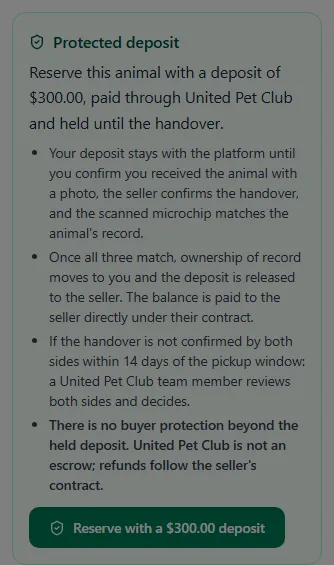
Some animal listings carry a Protected deposit badge and a Reserve button. Reserving pays the deposit through United Pet Club, and the platform holds it until the handover is confirmed by you, the seller and a microchip match. The rest of the price — the balance — is paid to the seller directly under the seller’s contract; it never goes through United Pet Club.
An animal is never sold through the store: you can’t add one to your cart or check one out. The Reserve button on its listing is the only way to pay for one on United Pet Club.
What you agree to when you Reserve
Section titled “What you agree to when you Reserve”Before the card step you read the rules:
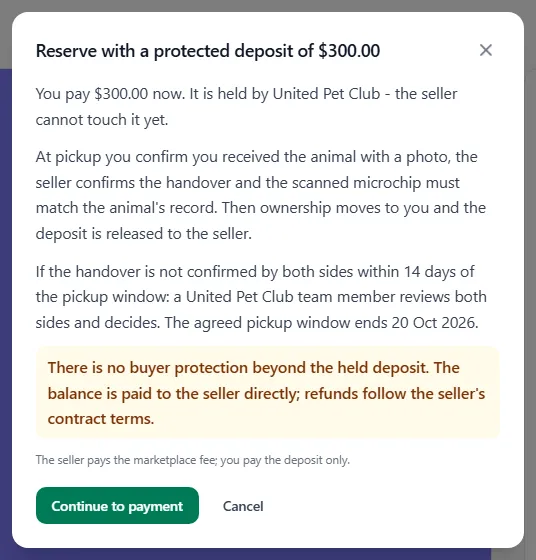
- You pay the deposit now. It is held by United Pet Club — the seller cannot touch it yet.
- At pickup you confirm you received the animal with a photo, the seller confirms the handover and the scanned microchip must match the animal’s record. Then the animal’s owner of record moves to you and the deposit is released to the seller.
- If the handover is not confirmed by both sides within 14 days of the pickup window, the seller’s clause applies: the deposit is refunded to you, the seller keeps it, or a United Pet Club team member reviews both sides and decides. The listing shows which one.
- There is no buyer protection beyond the held deposit. United Pet Club is not an escrow; refunds follow the seller’s contract terms. The seller pays the marketplace fee; you pay the deposit only.
The deposit is capped at $500 or 25 % of the listed price, whichever is lower.
Confirming you received the animal
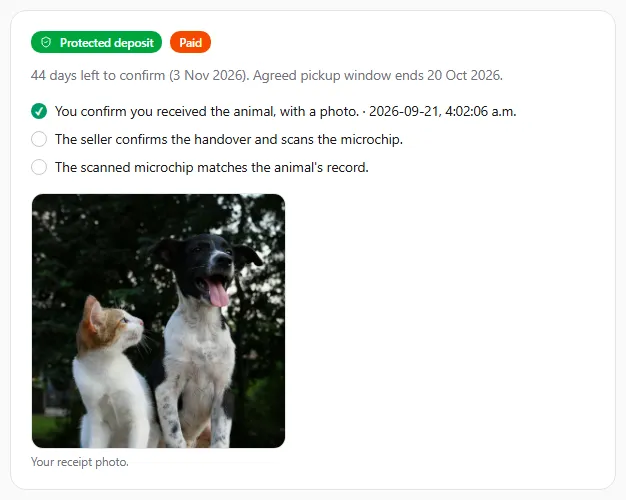
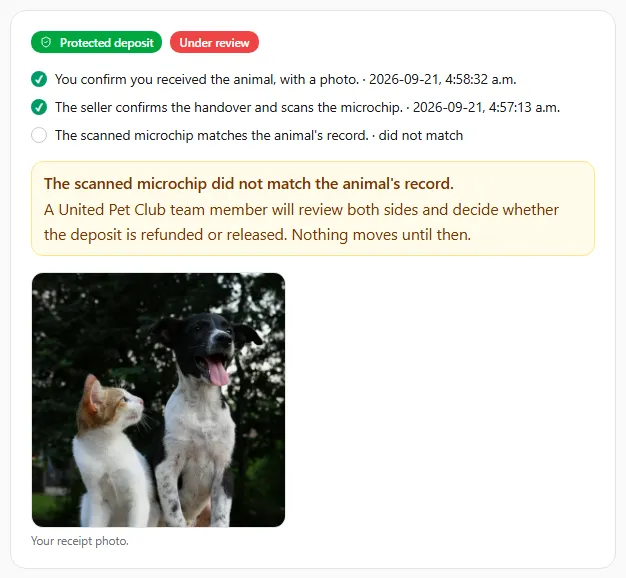
Section titled “Confirming you received the animal”Go to Account → Animal listings → Deposits and open the deposit. The page shows the three steps (your photo, the seller’s confirmation, the chip match), the days left to confirm and the agreed pickup window.
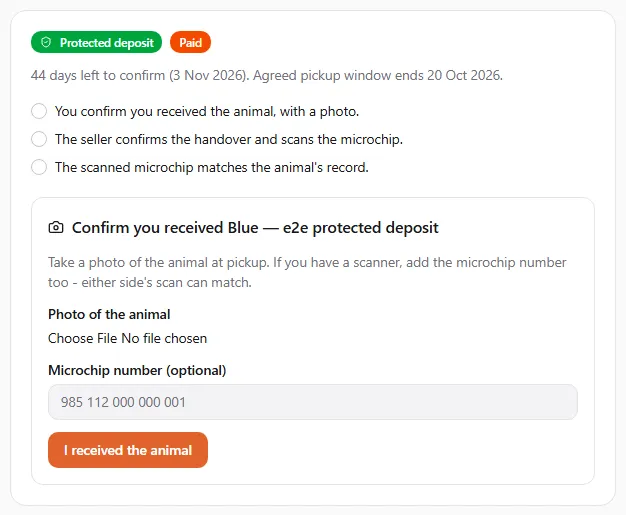
Take a photo of the animal at pickup and submit it. If you have a scanner, add the microchip number too — either side’s scan can make the match. Once the seller has confirmed and the chip matches, the page shows Handover confirmed and you are the owner of record.
The ownership change is recorded as a completed sale in your Dashboard → Pets → Transfers, under Received (the seller sees it under Submitted). It is marked Recorded from: Protected deposit handover, and your photo confirmation counts as your acceptance, so there is nothing more to click. See Transferring a pet.
If something goes wrong
Section titled “If something goes wrong”-
The chip does not match the animal’s record: the deposit stays held and the case goes to arbitration. You and the seller are notified; a team member reviews the photo and both scans and decides refund or release.
-
The deadline passes: the seller’s clause applies (refund, release or arbitration). Deposits refunded to you go back to your original payment method.
-
You changed your mind: ask the seller — a seller can refund a held deposit at any time.
Deposits on a direct sale
Section titled “Deposits on a direct sale”A protected deposit can also come from a sale between two members, with no listing. The seller offers the pet from Dashboard → Pets → Transfers and, under How is the price paid?, chooses Deposit held by United Pet Club. See Selling a pet: how the price is paid.
What stays the same: you pay the deposit by card through United Pet Club and it is held until the handover; it is at most 500 in the price’s currency and never more than 25% of the price; you confirm with a photo (and the microchip number if you have a scanner), the seller confirms with a scan, and a microchip match releases it to the seller. The rest of the price is settled between you and the seller.
What is different:
- You pay on the transfer’s page, not from a listing: accept the offer and, once the owners have approved, choose Pay the deposit.
- The deadline is the planned handover date on the offer plus 14 days.
- The handover completes your transfer. The pet becomes yours, and the transfer shows Recorded from: Protected deposit handover. No separate sale is recorded.
- If the handover doesn’t happen in time, or you withdraw, the seller’s choice applies. A refund to you or a release to the seller takes effect only when you both signed a transfer agreement in United Pet Club (in the app, each as yourself). Otherwise, and whenever the seller chose it, a United Pet Club team member reviews both sides and decides.
- If the seller cancels the sale before the handover, or an owner declines to approve it (which ends the sale), the deposit is refunded to you. If either of you opens a dispute, the deposit stays held while United Pet Club reviews it; if support lets the transfer carry on, the deposit is held again until the handover.
- A payment that goes through after the sale has ended (for example after the seller cancelled) is refunded to you automatically.
The deposit is listed under Account → Animal listings → Deposits like any other, with a View transfer link in place of the listing. You can confirm receipt there or on the transfer’s page.