

Asking to cancel a record or close a care plan
A medical record or a care plan on your pet’s health chart belongs to whoever wrote it. When a clinic records a visit, only the clinic can cancel that record. When a vet starts a care plan, only the vet can close it. You can still add your own records and plans, and tick off what a plan asks for, but you can’t rewrite or remove someone else’s.
If a record or a plan is wrong, for example a visit was entered for the wrong pet or a diet trial has ended, ask the author. They see your note and decide.
Asking the author
Section titled “Asking the author”Open the pet’s record (Pets → your pet → Records, then the visit), or find the plan under Care Plans on the Records tab. Under a record or plan you didn’t write, the page says only its author can cancel or close it, with a button:
- Ask to cancel on a medical record;
- Ask to close on a care plan.
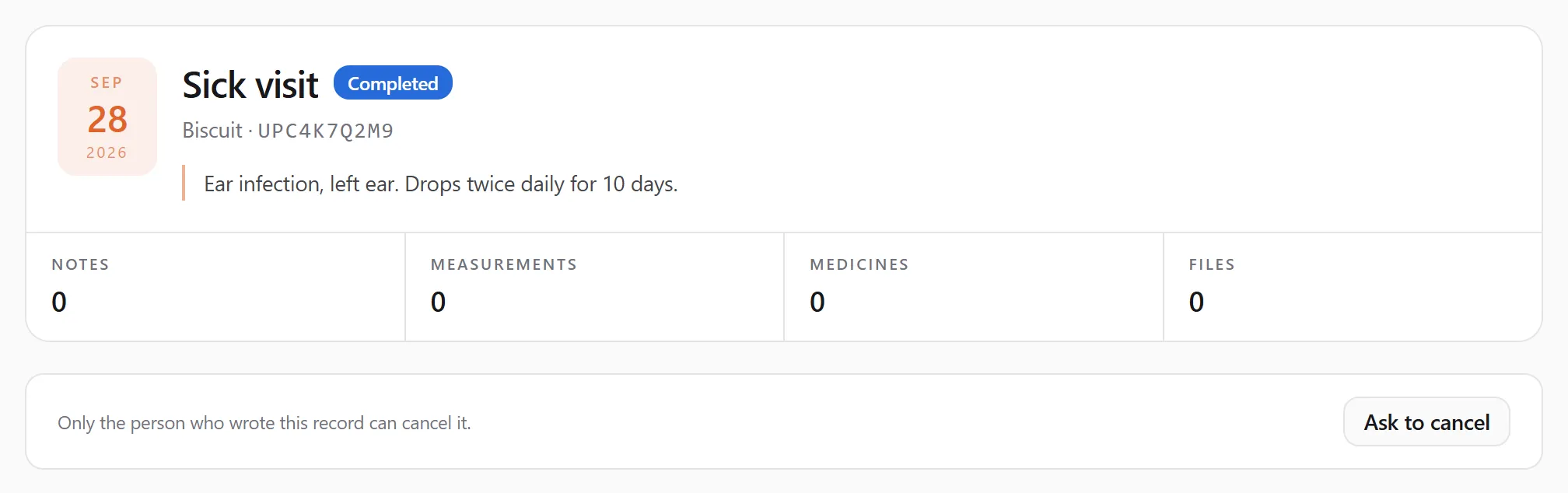
Write a short note saying why (at least 5 characters, up to 800), then press Send request.
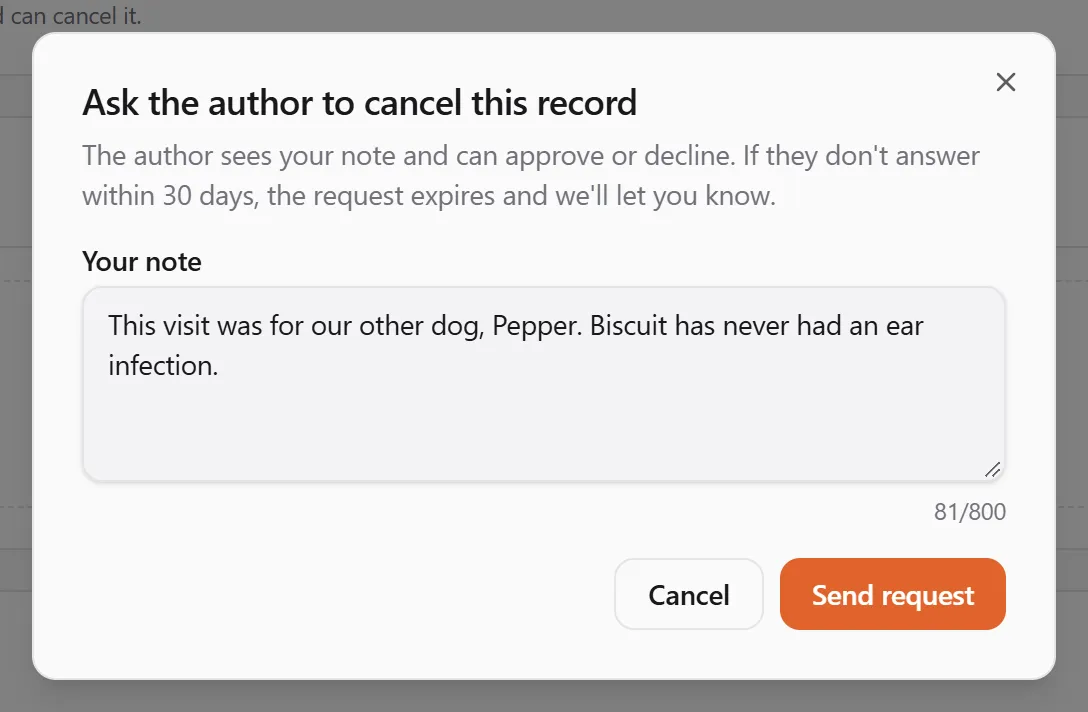
The author is told right away, in their notifications and by e-mail.
Who can ask: the people who manage the pet. One request can wait on a record or plan at a time.
While you wait
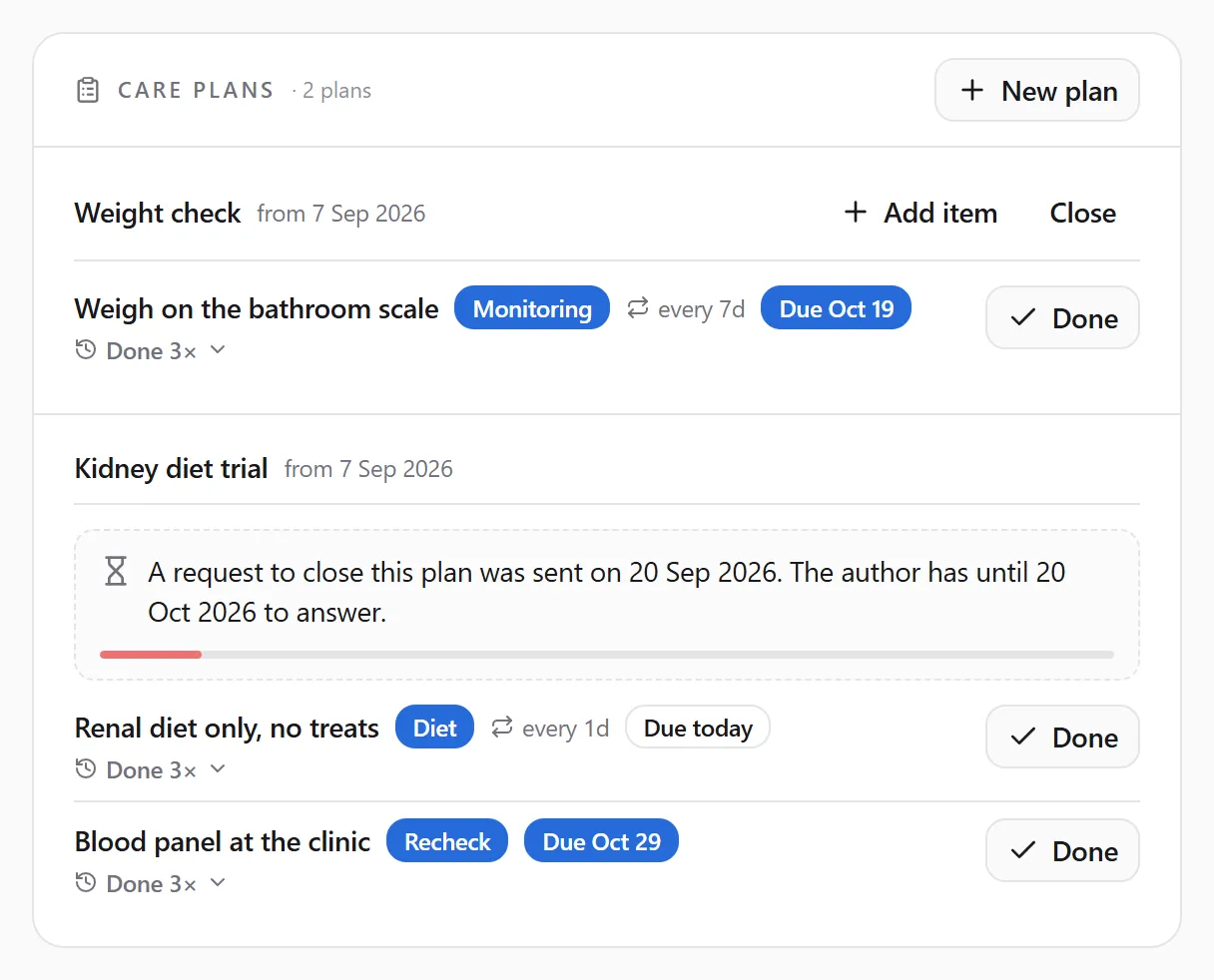
Section titled “While you wait”The record or plan shows when you asked and how long the author has to answer. The bar shrinks as the 30 days pass.

On a care plan the same note sits inside the plan’s card:
The answer
Section titled “The answer”You get a notification and an e-mail when:
- the author approves: the record is cancelled, or the plan closed. Nothing is deleted. A cancelled record stays in the pet’s history, marked as cancelled, and a closed plan keeps its history but stops asking for anything;
- the author declines: the entry stays as it is. If the author wrote a note, you see it on the record or plan;
- the author cancels or closes it another way: that counts as approved;
- nobody answers within 30 days: the request expires.
After a decline or an expiry you can ask again. The last answer stays above the button:

If you still think a record is wrong after the author declines, contact them directly (the clinic’s contact details are on its profile) or contact support.
If you are the author
Section titled “If you are the author”Clinics, vets and anyone else who writes records see requests in two places.
Under the record or plan. A request waiting on something you wrote shows the person’s note, the time left, and Approve / Decline:

Pets → Record requests. Every request on records and plans you wrote, under Waiting (still to answer) and All (answered and expired too). This list works even if you can no longer see the pet itself, for example after it changed owners. The notification and the e-mail open this page on the request.
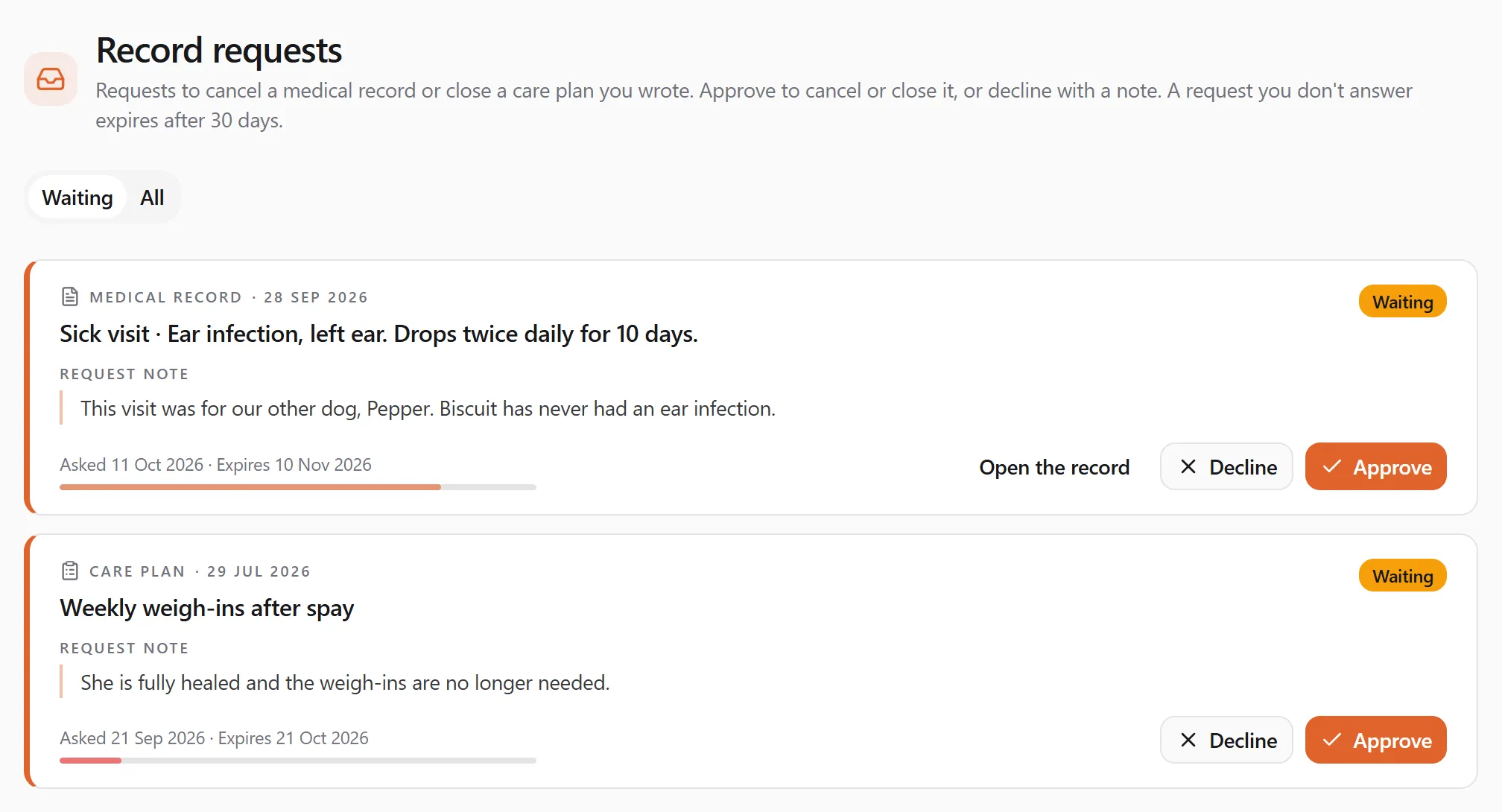
Approve cancels the record (or closes the plan) in your name. Decline leaves it as it is. Either way you can add a note for the person who asked; they see it with the answer.
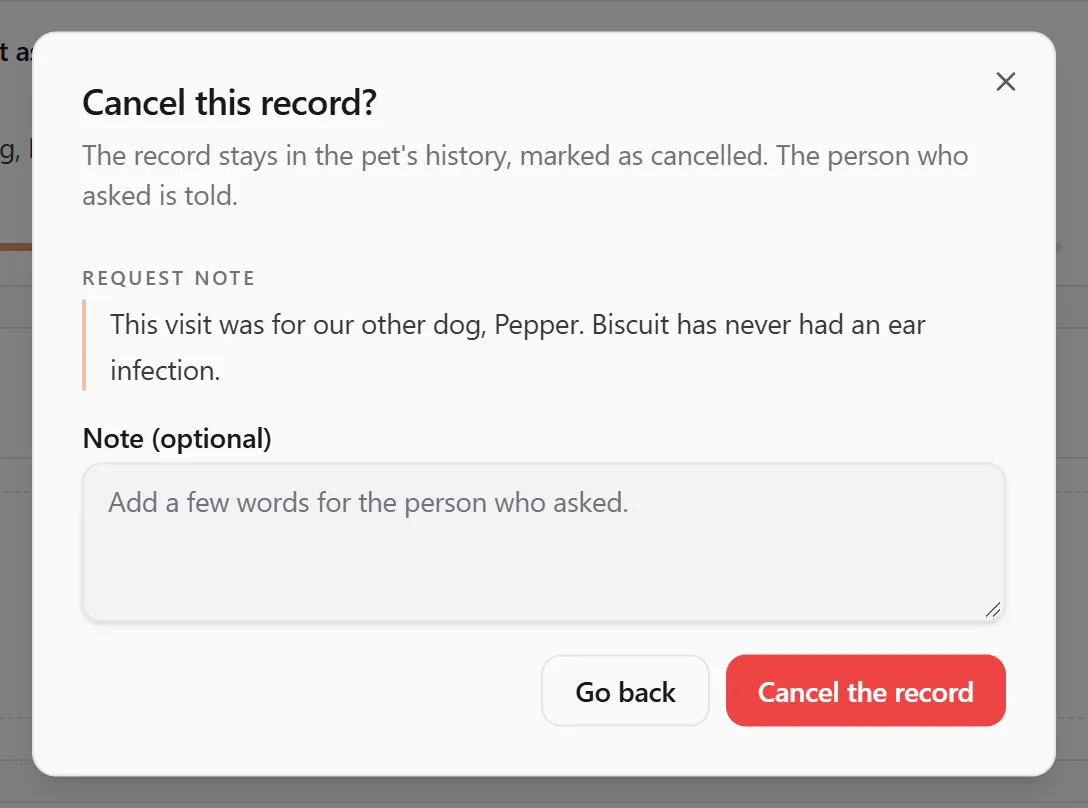
If you don’t answer within 30 days, the request expires and the person who asked is told. You can’t answer it after that. If you cancel the record or close the plan yourself while a request is waiting, the request counts as approved.
Good to know
Section titled “Good to know”- Asking is free on every plan.
- Only the pet’s managers and the entry’s author see a request. Someone you’ve shared the pet with to view only doesn’t.
- A record created by the system, with no author, can’t be asked about. Contact support if one of those is wrong.