

Report copyright or trademark infringement
If something on United Pet Club uses your work or your trademark without permission, you can ask us to take it down. You can do this if you own the rights, or if you’re authorized to act for the person or company that does. You don’t need an account.
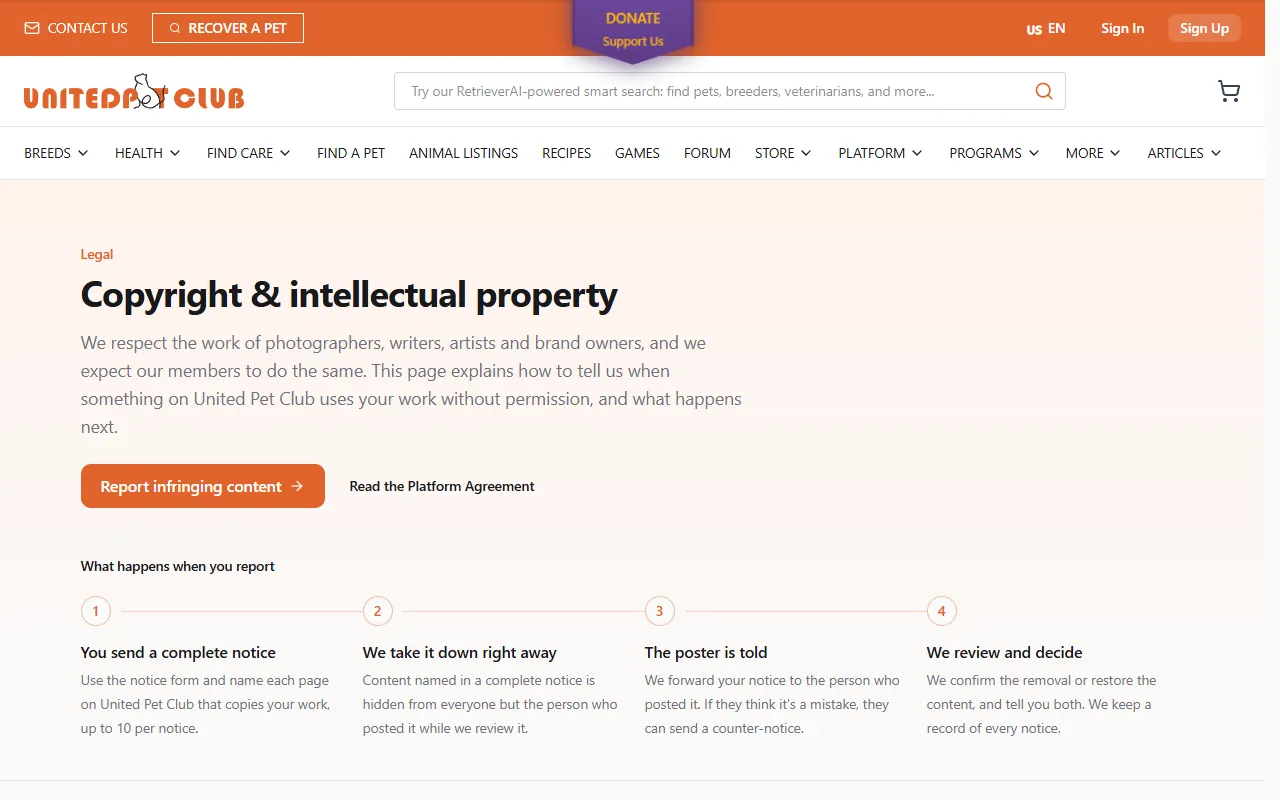
- The copyright policy:
/legal/copyrighton the website (for examplewww.unitedpetclub.com/en-US/legal/copyright). It explains how we handle notices, counter-notices and repeat infringers, and names our designated agent for copyright notices. - The notice form: Report infringing content on the policy page, which opens
/legal/copyright/report. - Report copyright links: a small Report copyright link (with a flag) under blog articles, recipes, forum threads, posts on a profile page and store items. It opens the notice form with that page’s address already filled in.
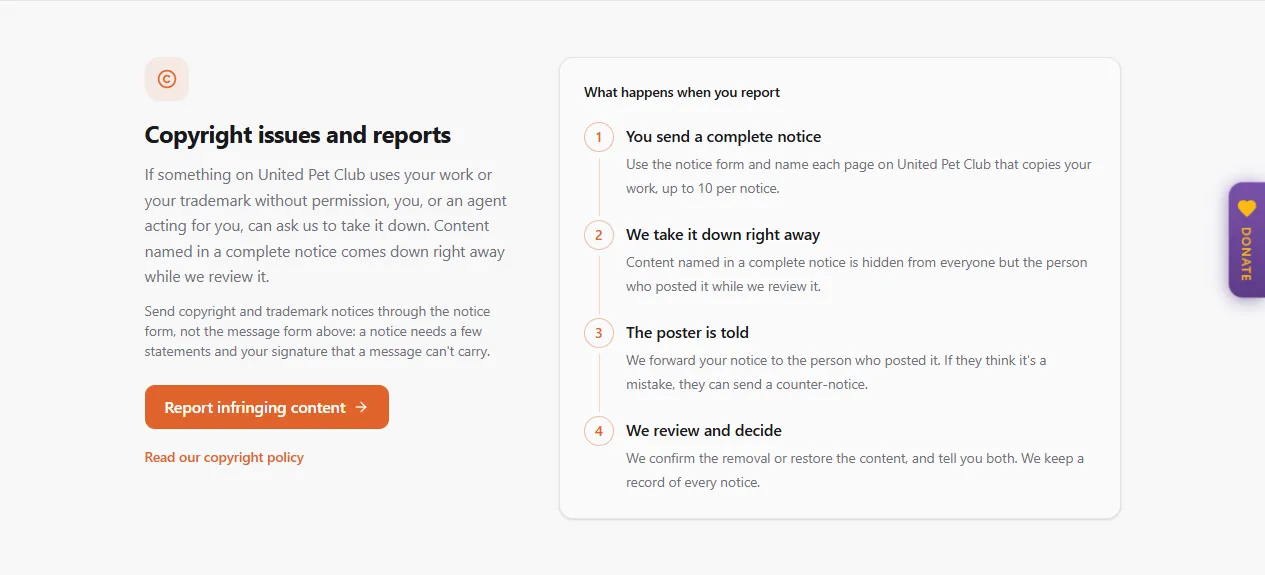
- The Contact page has a Copyright issues and reports section with the same Report infringing content button. Don’t use the Contact page’s message form for a notice: it can’t carry the statements and signature a notice needs.
- In the Dashboard feed, a post’s ⋯ menu has Report copyright. See Reporting a post in the feed below.
Before you send a notice
Section titled “Before you send a notice”- Only send a notice for content you own the rights to, or that you’re authorized to act for. Knowingly misrepresenting that something infringes can make you liable for damages. We may also stop acting on notices from senders who abuse the process.
- Think about fair dealing or fair use first. A short quote, a review or a news report may be allowed without permission.
- Your name goes to the person who posted the content, so they know who the notice is from. Your e-mail, phone number and address stay with our team.
Fill in the notice form
Section titled “Fill in the notice form”The form is in five parts. Fields marked * are required.
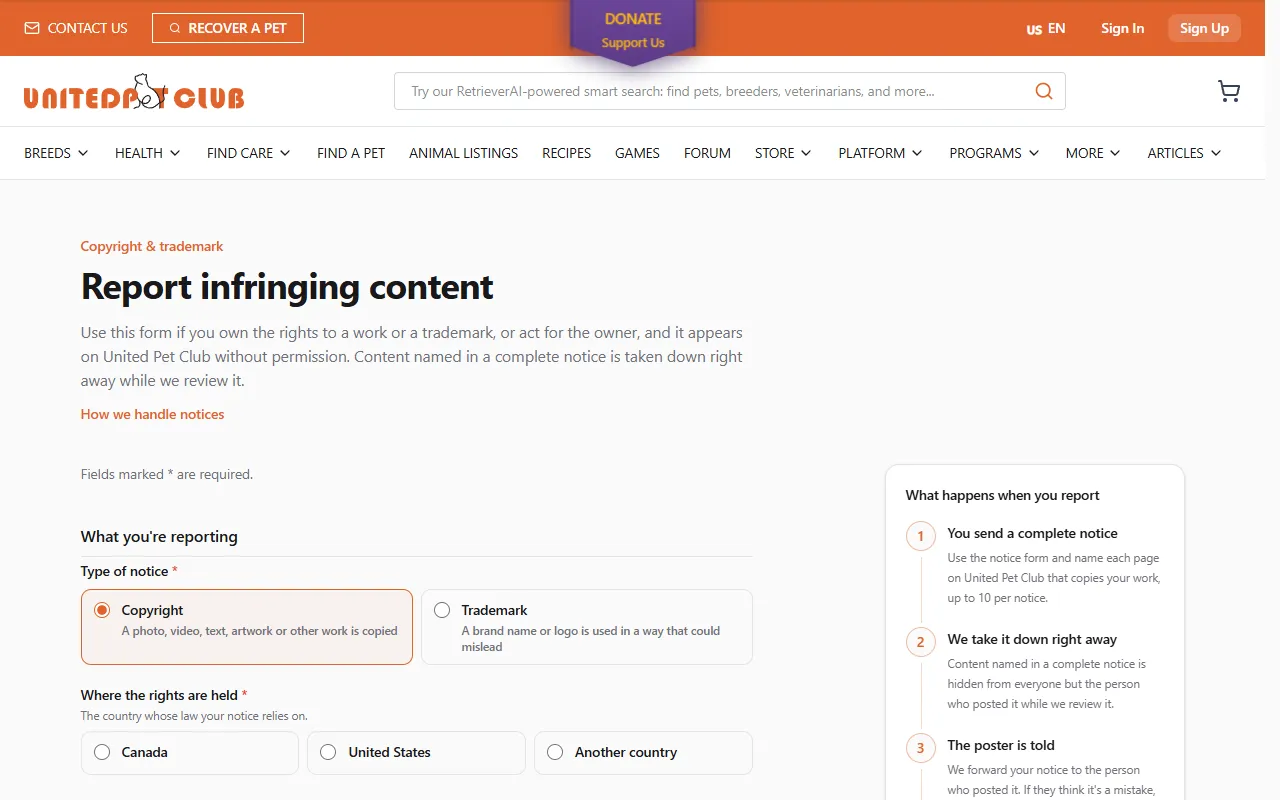
What you’re reporting
Section titled “What you’re reporting”| Field | What to choose |
|---|---|
| Type of notice | Copyright when a photo, video, text, artwork or other work is copied. Trademark when a brand name or logo is used in a way that could mislead. |
| Where the rights are held | Canada, United States or Another country: the country whose law your notice relies on. |
| You are | The owner of the rights, or Authorized to act for the owner. |
About you
Section titled “About you”Your full name, Organization (optional), Email address, Phone (optional) and Postal address (street, city, province or state, postal code and country). We send the confirmation and our decision to the e-mail address you give here.
The original work
Section titled “The original work”- Who owns the rights: your own name or your organization’s if you are the owner. Otherwise the person or company you act for.
- Describe your work (or Describe the trademark): enough for us to recognise it. For a trademark, say where it is registered and its registration number if it has one.
- Link to the original (optional): where your work is published, if it is online.
Where it appears on United Pet Club
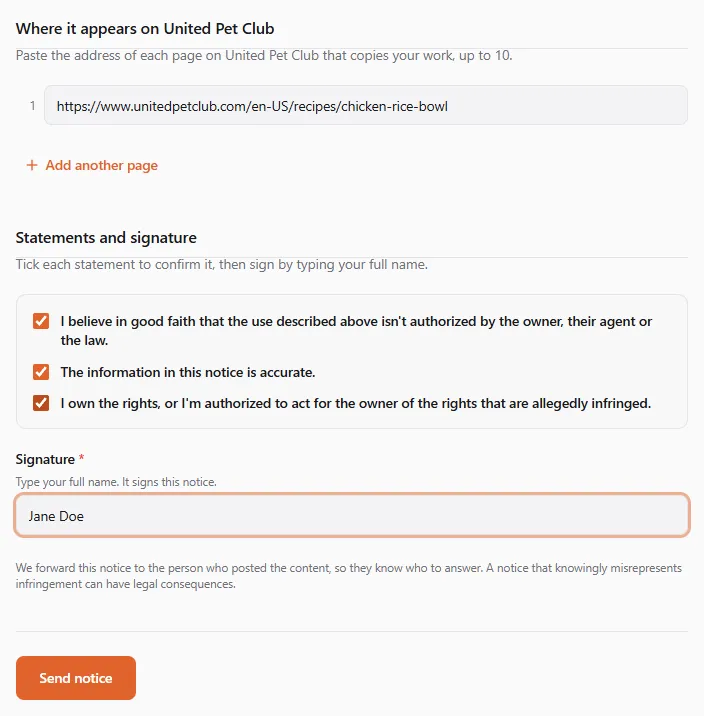
Section titled “Where it appears on United Pet Club”Paste the address of each page on United Pet Club that copies your work. Use Add another page for more, up to 10 pages per notice. Send another notice for the rest. If you came from a Report copyright link, the first address is already there.
Statements and signature
Section titled “Statements and signature”Tick each statement to confirm it:
- I believe in good faith that the use described above isn’t authorized by the owner, their agent or the law.
- The information in this notice is accurate.
- I own the rights, or I’m authorized to act for the owner of the rights that are allegedly infringed.
Then type your full name under Signature. Typing it signs the notice. Select Send notice.
If something is missing, the form says how many fields need your attention and marks each one. If you send several notices in a short time, you’re asked to wait a few minutes before sending again.
After you send it
Section titled “After you send it”The page shows Notice sent with your notice reference (it starts with CN-), and we e-mail you a
confirmation. Keep the reference for any follow-up. Under The pages you named, each page shows what happened to
it:
| Status | Meaning |
|---|---|
| Taken down while we review it | We found the content and hid it straight away |
| Found, with our team for review | We found it; our team decides before anything comes down |
| Our team will locate this page | We couldn’t match the address to content automatically; our team will find it |
| Not found; our team will check it | Nothing is at that address now |
| Already removed by the person who posted it | It was already gone |
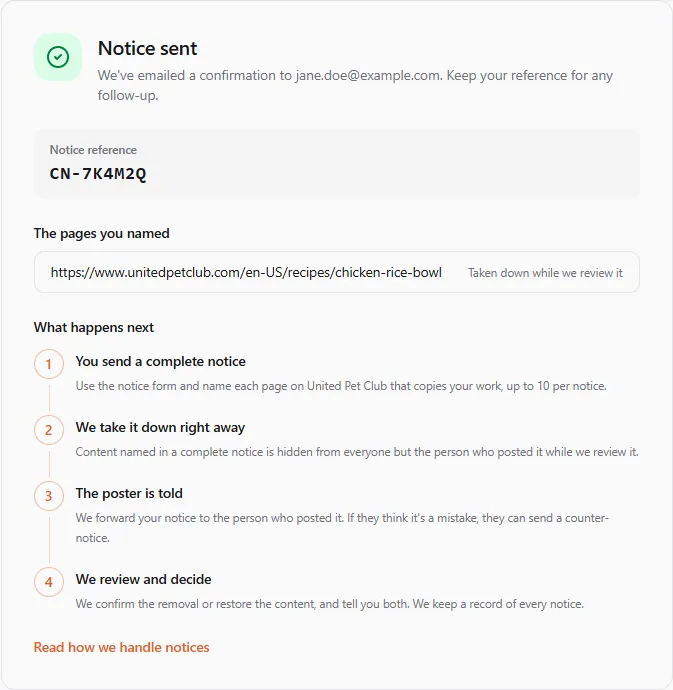
What happens next:
- We take it down right away. Content named in a complete notice is hidden from everyone except the person who posted it, while our team reviews the notice.
- The poster is told. We forward your notice to them, with your name, the rights holder and the work you described.
- We review and decide. Our team confirms the removal or puts the content back. We e-mail you the outcome.
- If the poster answers with a counter-notice, we forward it to you in full, with their contact details, so you
can reach them or go to court. The content comes back 10 business days after we forward it, unless you tell
us before then that you have started a court action about it: write to
legal@unitedpetclub.comwith your notice reference.
We keep a record of every notice and what we did with it for at least one year.
Prefer e-mail?
Section titled “Prefer e-mail?”You can send a notice to our designated agent at legal@unitedpetclub.com. Include everything the form asks for:
your contact details, the work, a link to each page, the three statements and your signature. The form is faster
because it collects everything a complete notice needs, and the content can come down right away.
Reporting a post in the Dashboard feed
Section titled “Reporting a post in the Dashboard feed”If you’re a member, you can report a post straight from the feed: open the post’s ⋯ menu and choose Report copyright (or Something else… and then Trademark). The dialog asks for the same things as the form, starting with your name and e-mail from your account. Select Send notice. You get a message with your notice reference, and our team e-mails you what happens. See Reporting a post.