

How the forum works
The forum is where pet owners, verified vets, groomers, trainers, breeders and shelters answer each other’s questions. It works like a question-and-answer site rather than an old-style message board: every question has its own page, the best answers rise to the top, and the person who asked can say which answer worked for their pet. Anyone can read it without an account. You sign in to ask, answer, vote and join groups.
- On the website: FORUM in the main menu (
/forum). The forum has its own bar under the menu with Questions, Groups, Leaderboard, a Search questions box and the Ask a question button. - On a breed page: a From the community block lists questions about that breed, with Ask about the <breed> (the question is linked to the breed page).
- In your Dashboard: Forum → Forum home for your questions, answers, reputation and what you follow, and Forum → My groups for the groups you run or belong to. See Your forum home and Running a forum group.
The forum home
Section titled “The forum home”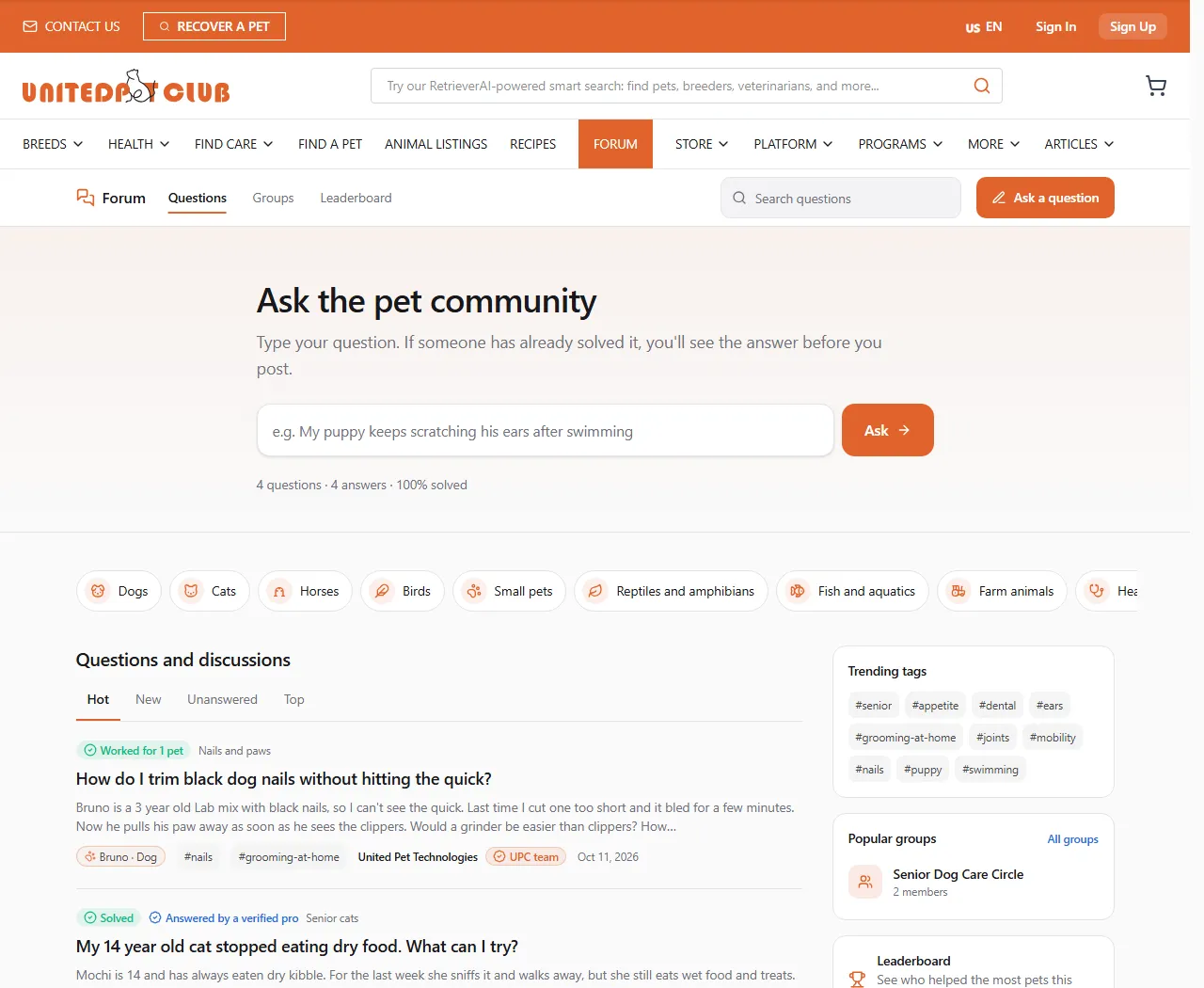
The home page starts with Ask the pet community: type your question in the box and click Ask. You go to the question form with your words already filled in, and the forum shows questions that look the same before you post. Below it you find:
- Topics: a chip for each main topic. Browse all topics opens the full list.
- Questions and discussions: the latest activity, sorted by Hot, New, Unanswered or Top.
- Trending tags, Popular groups and the Leaderboard.
| Sort | What it shows |
|---|---|
| Hot | What people are answering and voting on now. Newer posts with votes, answers and “Same with my pet” rise. |
| New | Newest first. |
| Unanswered | Questions with no answer yet: the place to help someone. |
| Top | The highest-scored posts. |
Topics and sub-topics
Section titled “Topics and sub-topics”Every post sits in one topic. Big topics have sub-topics, up to three levels deep: for example Dogs → Senior dogs or Health → Dental care. A topic page lists its sub-topics as chips and its feed includes the posts of every sub-topic under it.
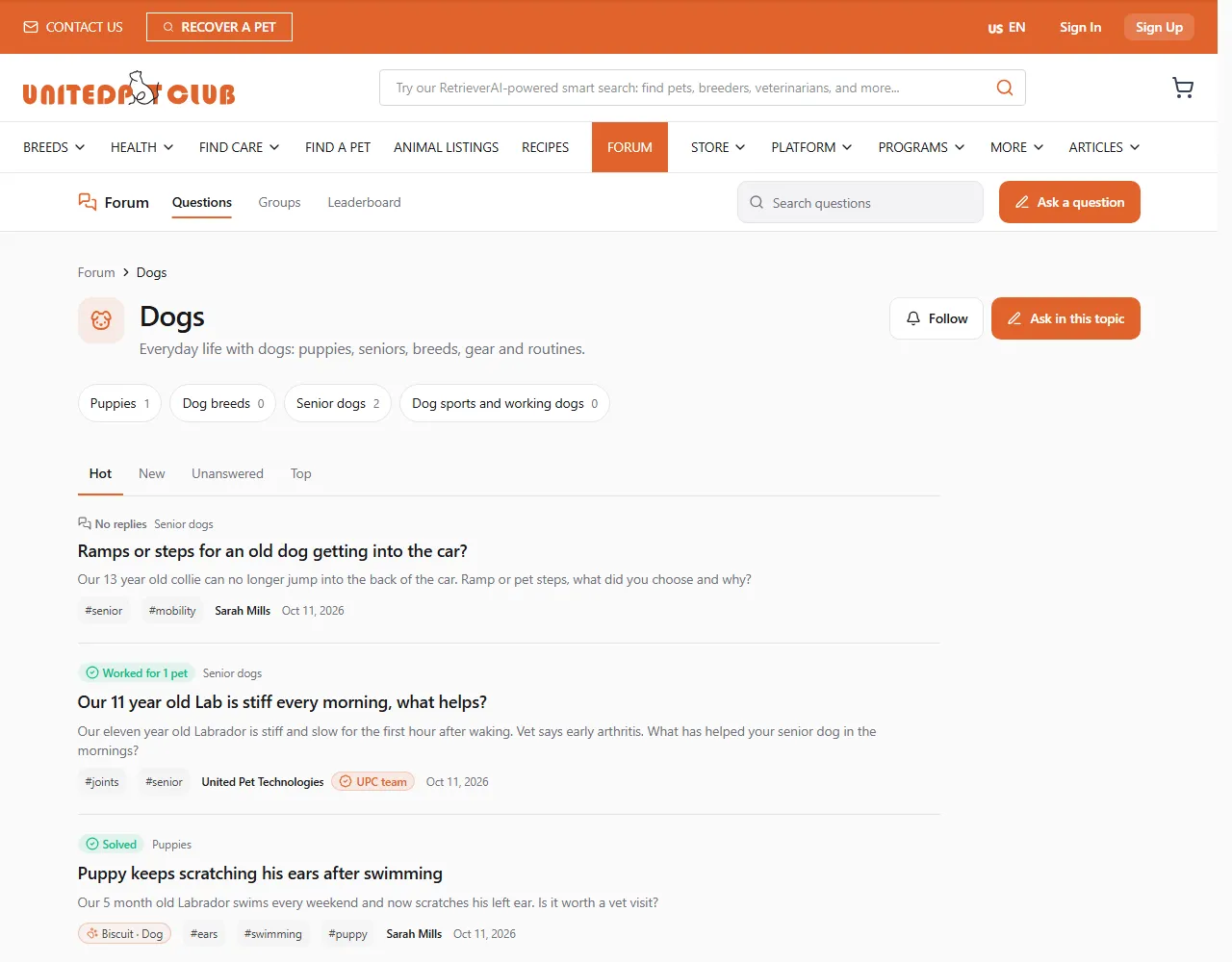
- Follow a topic to see its new posts in your Dashboard’s Following tab.
- Ask in this topic opens the question form with the topic already chosen.
- The UPC Support topic is where the United Pet Club team answers how-to questions in public. Billing, payments and account access belong in a private support request instead: see Asking a question.
What you find on a post
Section titled “What you find on a post”A post is one of three kinds:
| Kind | Used for |
|---|---|
| Question | You need an answer. Answers are ranked, and the asker can accept one. |
| Discussion | You want to talk something through. Replies read in time order. |
| Announcement | News from the United Pet Club team or a group’s moderators. |
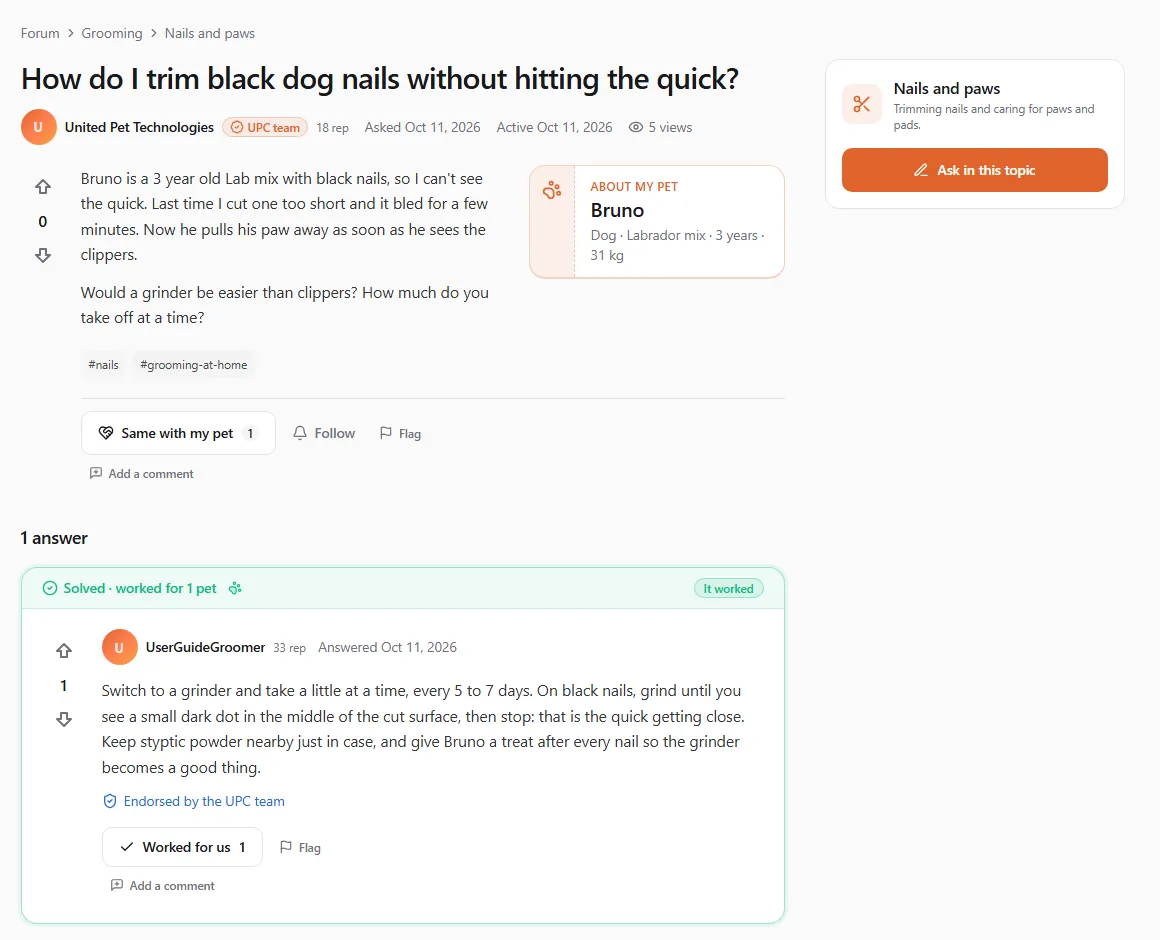
- The pet card (“About my pet”) shows the details the asker chose to share: name, species, breed, age, weight.
- Solved · worked for 3 pets tells you the accepted answer helped the asker and how many other owners said it worked for them too. It worked (or It partly worked, It didn’t work) is what the asker reported back.
- Credential chips next to a name (Verified vet, Verified groomer, Verified shelter, UPC team…) appear only once United Pet Club has checked that person’s licence or business. Answered by a verified pro in a feed means one of the answers comes from such a person.
- Endorsed by 2 vets, 1 groomer under an answer counts the verified professionals who voted it up or said it worked.
- A vet note is a short safety correction verified vets add under an answer. It shows as Vet note with Backed by 2 verified vets.
- Staff answer marks an answer from the United Pet Club team in the UPC Support topic.
Search, tags, people and the leaderboard
Section titled “Search, tags, people and the leaderboard”- Search questions (
/forum/search): type at least two characters. Every word must match. - Tags like
#senioror#earsgroup posts across topics. A tag’s page (/forum/tags/<tag>) lists its posts, its Top answerers and Related tags, and you can follow it. - Member pages (
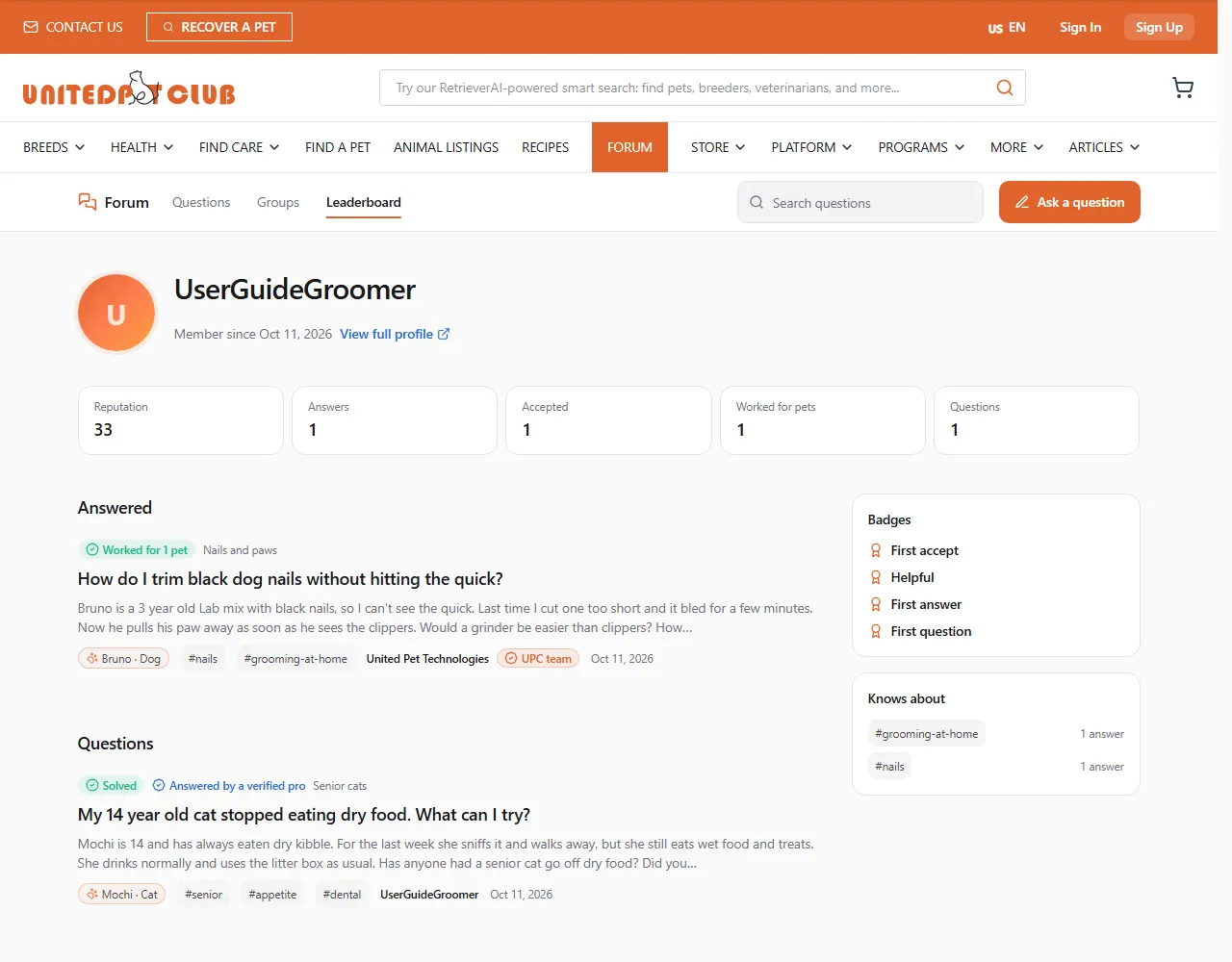
/forum/u/<handle>): click a name to see their reputation, answers, accepted answers, how many pets their answers worked for, questions, badges and the tags they know most about (Knows about). View full profile opens their main profile. - Leaderboard (
/forum/leaderboard): who earned the most reputation from helping others This week, This month or All time.
What you need an account for
Section titled “What you need an account for”Reading, searching and browsing never need an account. To ask, answer, comment, vote, follow, flag or join a group, sign in. You post as the profile you are acting as (your personal profile or one of your business profiles), and that profile’s name, photo and verified credential show on what you write. Some actions unlock as your reputation grows: see Reputation and badges.
Notices you get
Section titled “Notices you get”| What happened | How you hear |
|---|---|
| Someone answered your question | E-mail and bell |
| A new answer on a question you follow or marked Same with my pet | Bell |
| Your answer was accepted | Bell |
| A verified vet added a vet note to your answer | E-mail and bell |
| A week after you accepted an answer: Did it work? | E-mail and bell |
| A new comment on your post or answer | Bell |
| Someone asked to join a group you moderate | Bell |
| Your request to join a group was approved | Bell |
You are never notified about your own actions.