

Help & support
You can ask our support team for help from your Dashboard. Some help is free for every profile; a support plan adds more, from step-by-step answers to our team doing the work for you.
Settings → Help & support in your Dashboard (/dashboard/support).
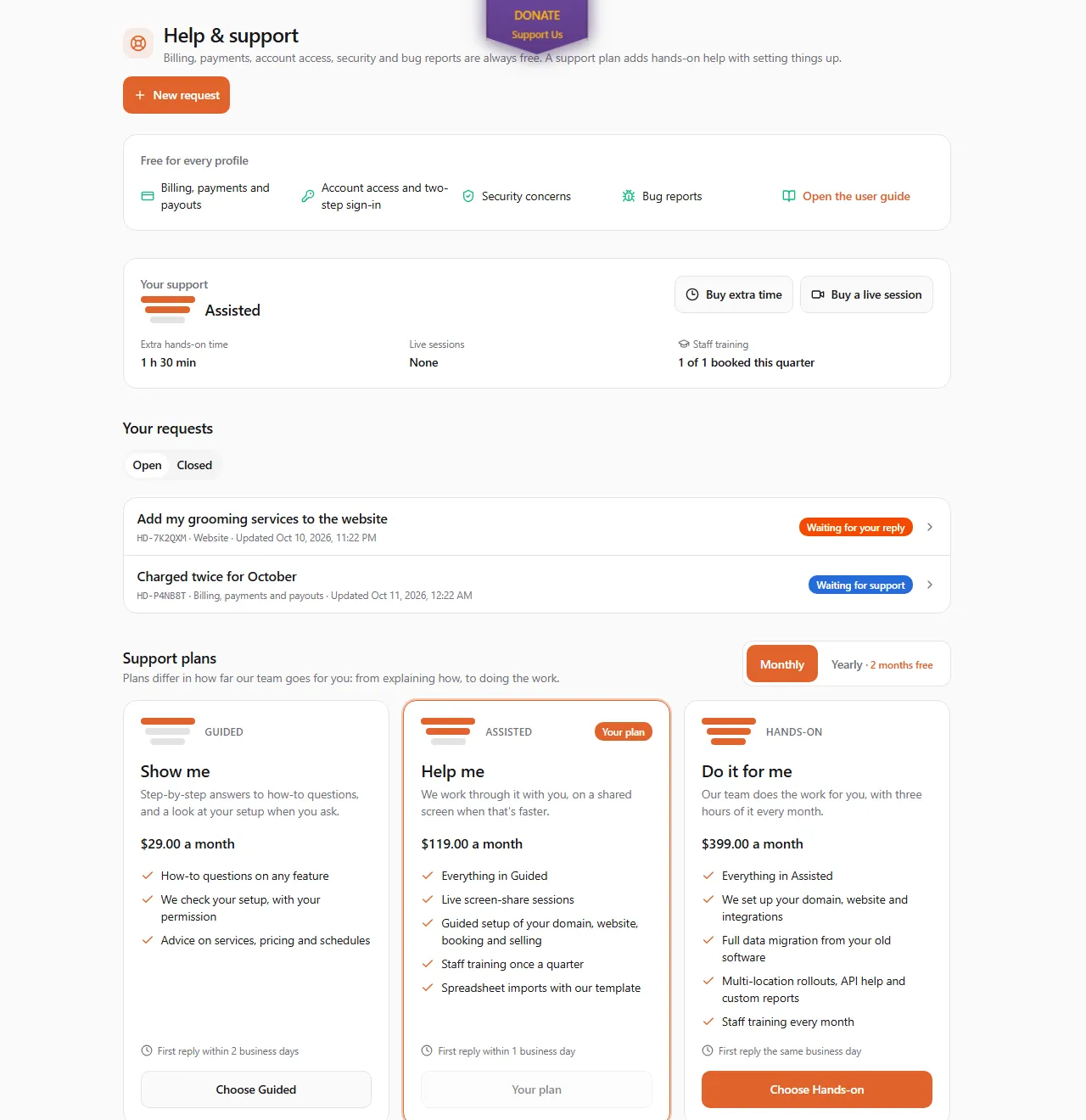
Free for every profile
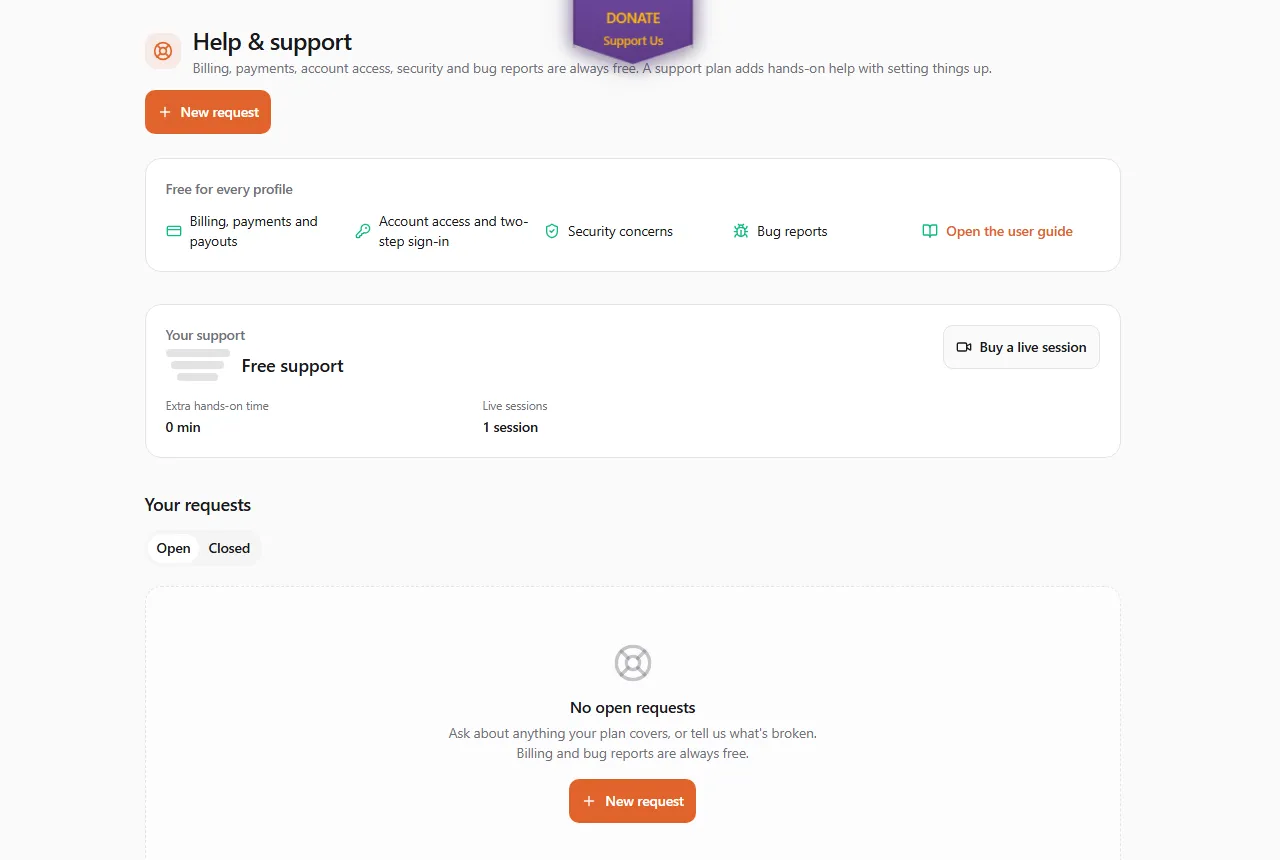
Section titled “Free for every profile”You never need a plan for:
- Billing, payments and payouts: charges, refunds, invoices, your card on file, payouts.
- Account access: signing in, two-step sign-in, your team’s access.
- Security concerns: a sign-in you don’t recognize, or something that looks wrong.
- Bug reports: a page, button or message that doesn’t do what it should.
- The user guide, which you are reading now.
Support plans
Section titled “Support plans”Support plans are for business profiles. They differ in how far our team goes for you:
| Plan | What you get |
|---|---|
| Guided: show me | Step-by-step answers to how-to questions on any feature, advice on services, pricing and schedules, and a look at your setup when you ask. First reply within 2 business days. |
| Assisted: help me | Everything in Guided, plus live screen-share sessions, guided setup of your domain, website, booking and selling, spreadsheet imports with our template, and a staff training session once a quarter. First reply within 1 business day. |
| Hands-on: do it for me | Everything in Assisted, and our team does the work: your domain and website, moving your data from your old software, multi-location rollouts, help for your developers, custom reports, and a staff training session every month. Three hours of hands-on work every month are included. First reply the same business day. |
The prices are on the page, and on the public pricing page under Support plans (see also What the software costs). Choose Monthly or Yearly (two months free), then Choose a plan to pay. Prices are in US dollars; Canadian businesses pay GST/HST on top.
- Partners have Guided included, and Pro includes Assisted.
- Moving to another plan? Choose the new one, then cancel the old one in Billing so you don’t pay for both.
- Not covered on any plan: your own computer, network or printer, other companies’ software, writing your marketing, legal, tax or veterinary advice, and custom development.
A personal profile sees the free support and can buy a live session, but no plans. Switch to your business profile to see them.
Asking for help
Section titled “Asking for help”- Choose New request.
- Under What do you need help with?, pick a topic. Topics are grouped by the plan that covers them; the ones your plan doesn’t cover show which plan they need. Under the list you see what the topic is for and when to expect the first reply.
- Write a Subject and the Details: what happened, what you expected, and the steps we can follow to see it.
- Leave Support may look at my settings ticked if we may check your setup to help. Untick it if not.
- Choose Send request.
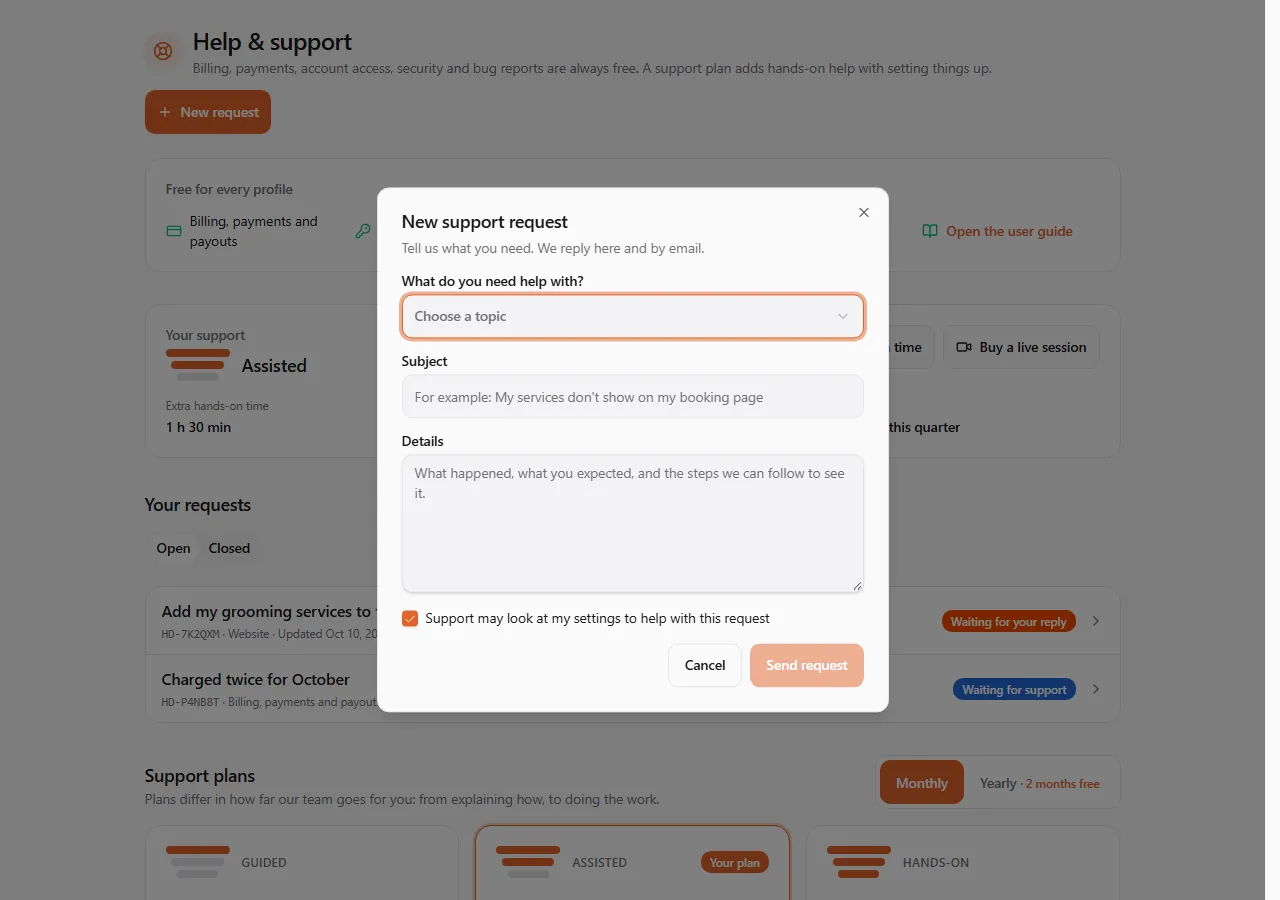
Your request gets a code like HD-7K2QXM. We reply on the request, and you also get an e-mail and a bell notification with a link to it.
Following a request
Section titled “Following a request”Your requests lists your Open and Closed requests, newest activity first, with where each one stands: Waiting for support, Support is on it, Waiting for your reply, Resolved or Closed. Open one to read the conversation and reply.
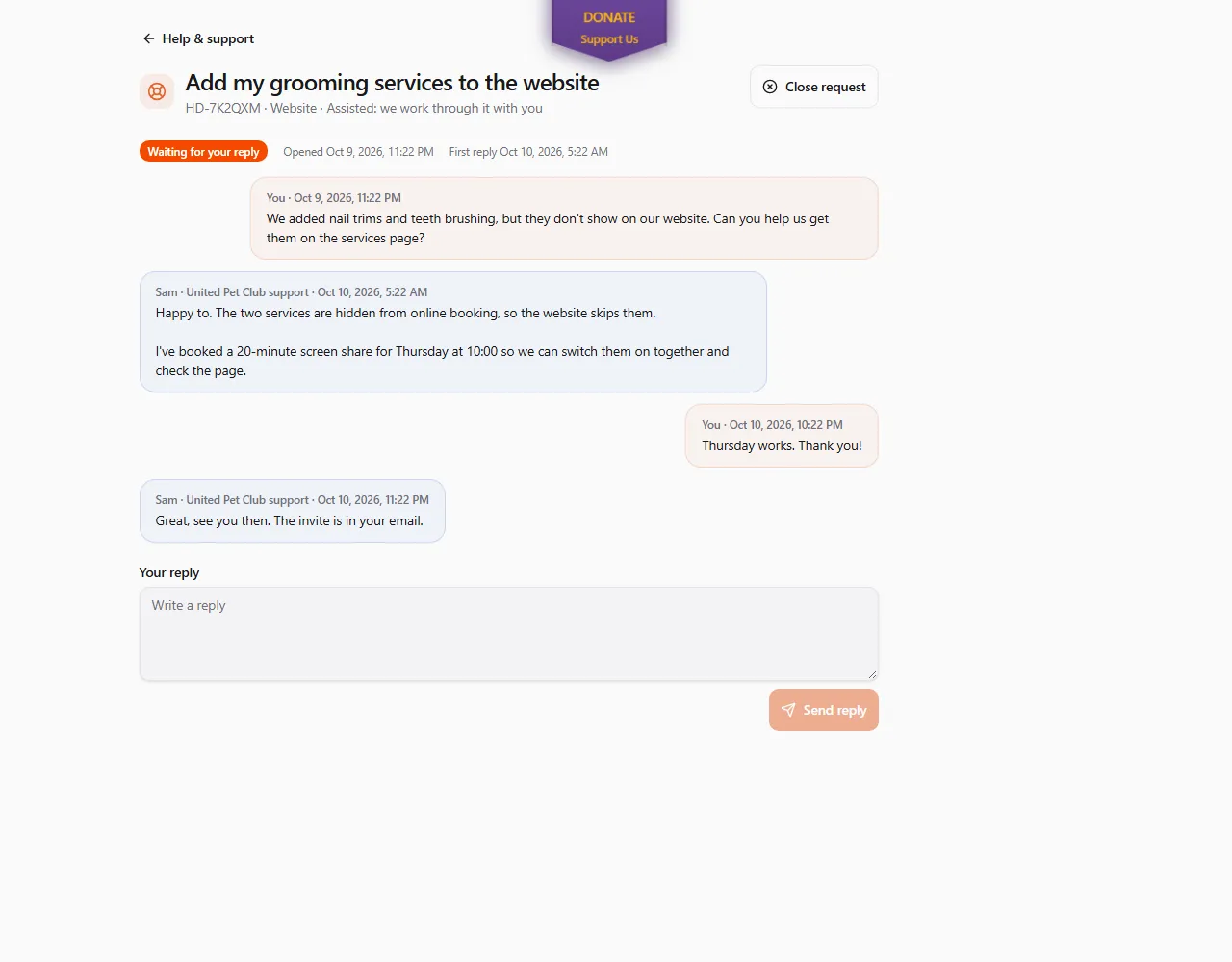
- Send reply answers support. If we marked the request Resolved but it isn’t fixed, reply and it opens again.
- Close request ends it when you no longer need help.
Extra time and live sessions
Section titled “Extra time and live sessions”Your support shows your plan and what’s left: hands-on time this month (Hands-on plan), extra hands-on time you bought, live session credits, and staff training booked this period.
- Buy extra time (business profiles): one hour or a five-hour pack of hands-on work, used after the time your plan includes. It never expires.
- Buy a live session: a one-off 30-minute live session with our team, for any question, on any plan or none. Choose the Live session topic when you open a request and one credit is used. If you close the request before we answer, you get the credit back.